You may receive a compatibility check error if you try to upgrade PostgreSQL twice in quick succession (for example, if you upgrade from PostgreSQL 12 to 13 and then immediately try to upgrade from 13 to 14). This is because the prior version hasn’t finished installing. If this happens, wait a few minutes and retry the upgrade.
How to Upgrade PostgreSQL to a New Version
Last verified 31 Jul 2026
PostgreSQL is an open source, object-relational database built for extensibility, data integrity, and speed. Its concurrency support makes it fully ACID-compliant, and it supports dynamic loading and catalog-driven operations to let users customize its data types, functions, and more.
You can upgrade earlier versions of PostgreSQL clusters or nodes to newer versions using the DigitalOcean Control Panel. The upgrade process has a small risk of downtime and data loss in case of a crash, so consider adding a read-only node as a backup before upgrading.
To upgrade a cluster to a newer version of PostgreSQL, open the Databases page and then click the cluster you want to upgrade.
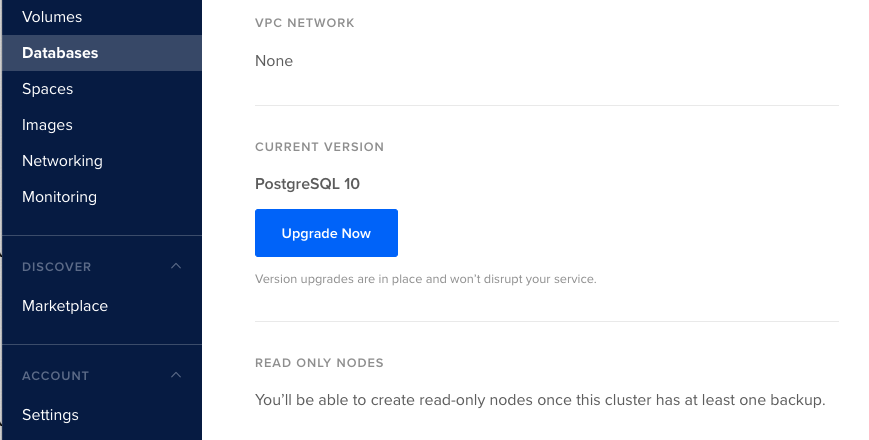
On the cluster’s Overview page, scroll down to the CURRENT VERSION section and then click Upgrade Now.
Select the version of PostgreSQL you want to use.
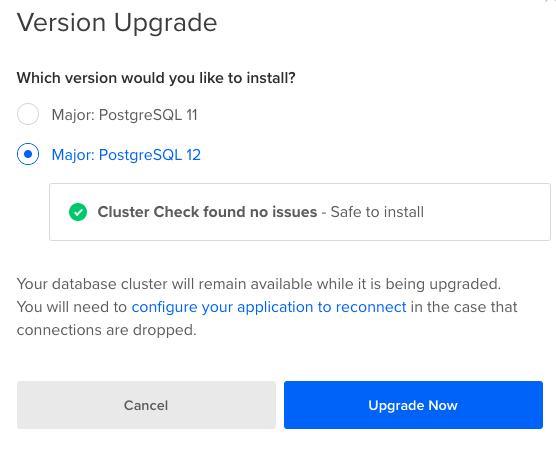
The control panel will run an upgrade compatibility check to ensure the new version is safe to install. If the check returns Cluster Check found no issues - Safe to install, click Upgrade Now.
Once the upgrade starts, you cannot restore the PostgreSQL instance to the previous version. Similarly, you can no longer use its past backups for procedures such as Point In Time Recovery (PITR), since they were created with an earlier version of PostgreSQL.
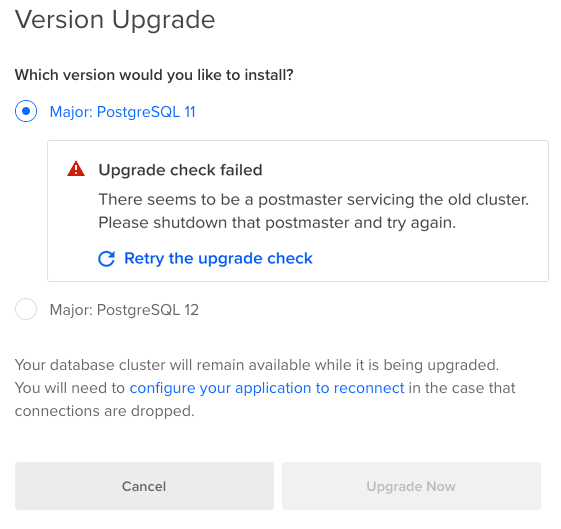
If the upgrade check fails, address the errors in the message and retry the upgrade.
To verify the upgrade was successful, log in to your database and run the following statement:
select version();The statement returns the current version of PostgreSQL.
version
-------------------------------------------------------------------------------------------
PostgreSQL 12.3 on x86_64-pc-linux-gnu, compiled by gcc, a 0e5a33d4e p 6dc8de8930, 64-bit
(1 row)