How to Archive and Restore an App

Validated on 17 Mar 2025 • Last edited on 25 Mar 2026

App Platform is a fully managed Platform-as-a-Service (PaaS) that deploys applications from Git repositories or container images. It automatically builds, deploys, and scales components while handling all underlying infrastructure.

You can archive an app to store its data and configuration. Archiving an app takes it offline and stops incurring charges for the app’s components, with the exception of associated databases, such as development databases, and dedicated egress IPs. This can be useful for seasonal applications, temporary projects, and creating staging environments. You can also restore an archived app to resume using it. Archiving apps can cause downtime, so we recommend you do not archive production applications.

To take your app offline temporarily for maintenance, see How to Configure Maintenance Mode.

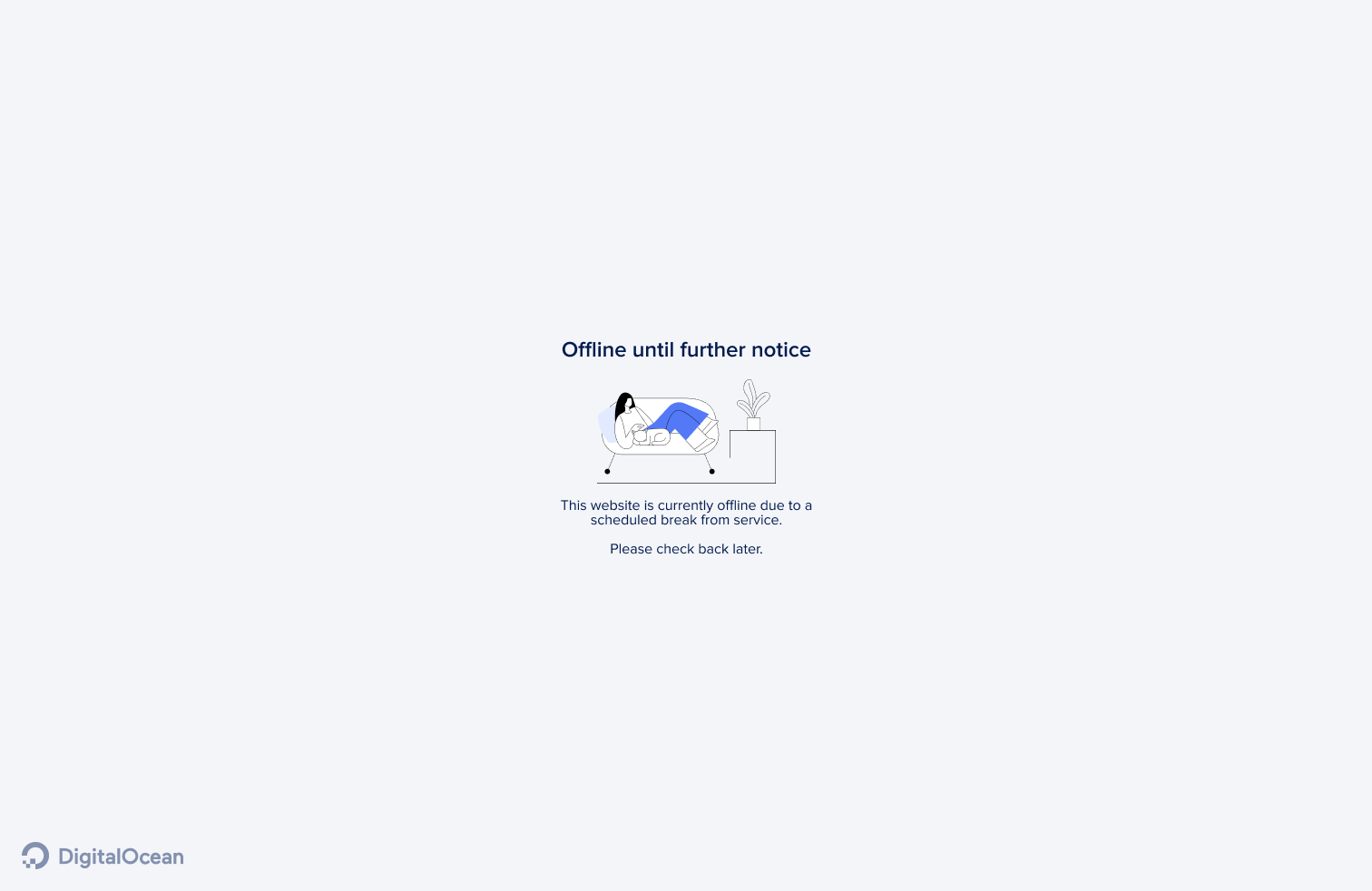
When you archive an app, App Platform displays an offline page at the app’s URL. You can choose to display a custom offline page or DigitalOcean’s default offline page.

Archived apps are available at no cost. We may charge in the future based on factors like having a larger quantity of archived apps (for example, more than 20) or keeping the archives for a longer duration of time (for example, longer than 3 months).

Archive or Restore an App Using Automation

You can archive or restore an app using the CLI’s app update command or the API’s app update endpoint. To archive, add or update the maintenance object in your app spec with archive: true and optionally offline_page_url for a custom offline page. To restore, set archive to false. Then submit the spec using the following command or endpoint. The app spec must completely define all of your app’s configurations. We recommend downloading your current app spec from the control panel, API, or CLI, and modifying it to include the maintenance and archive settings.

How to Archive or Restore an App Using the DigitalOcean CLI
  1. Install doctl, the official DigitalOcean CLI.
  2. Create a personal access token and save it for use with doctl.
  3. Use the token to grant doctl access to your DigitalOcean account.
    doctl auth init
  4. Finally, run doctl apps update. Basic usage looks like this, but you can read the usage docs for more details:
    doctl apps update <app id> [flags]
    The following example updates an app with the ID f81d4fae-7dec-11d0-a765-00a0c91e6bf6 using an app spec located in a directory called /src/your-app.yaml. Additionally, the command returns the updated app’s ID, ingress information, and creation date:
    doctl apps update f81d4fae-7dec-11d0-a765-00a0c91e6bf6 --spec src/your-app.yaml --format ID,DefaultIngress,Created
How to Archive or Restore an App Using the DigitalOcean API
  1. Create a personal access token and save it for use with the API.
  2. Send a PUT request to https://api.digitalocean.com/v2/apps/{id}.

cURL

Using cURL:

curl -X PUT \
-H "Content-Type: application/json" \
-H "Authorization: Bearer $DIGITALOCEAN_TOKEN" \
"https://api.digitalocean.com/v2/apps/{id}" \
-d '{"alerts":[{"rule":"DEPLOYMENT_FAILED"},{"rule":"DOMAIN_FAILED"}],"domains":[{"domain":"example.com","type":"PRIMARY","zone":"example.com"}],"envs":[{"key":"API_KEY","scope":"RUN_AND_BUILD_TIME","type":"SECRET","value":"EV[1:zqiRIeaaYK/NqctZDYzy6t0pTrtRDez8:wqGpZRrsKN5nPhWQrS479cfBiXT0WQ==]"}],"features":["buildpack-stack=ubuntu-22"],"ingress":{},"name":"example-app","region":"nyc","services":[{"autoscaling":{"max_instance_count":4,"metrics":{"cpu":{"percent":70}},"min_instance_count":2},"git":{"branch":"main","repo_clone_url":"https://github.com/digitalocean/sample-nodejs.git"},"internal_ports":[8080],"log_destinations":[{"name":"your_log_consumer_name","open_search":{"endpoint":"logs.example.com:12345","basic_auth":{"user":"doadmin","password":"1234567890abcdef"},"index_name":"example-index","cluster_name":"example-cluster"}}],"name":"sample-nodejs","run_command":"yarn start","source_dir":"/"}]}'

Python

Using PyDo, the official DigitalOcean API client for Python:

import os
from pydo import Client

client = Client(token=os.environ.get("DIGITALOCEAN_TOKEN"))
req = {
"spec": {
    "name": "web-app-01",
    "region": "nyc",
    "domains": [
        {
            "domain": "app.example.com",
            "type": "DEFAULT",
            "wildcard": True,
            "zone": "example.com",
            "minimum_tls_version": "1.3",
        }
    ],
    "services": [],
    "static_sites": [
        {
            "cors": {
                "allow_origins": [
                    {"exact": "https://www.example.com"},
                    {"regex": "^.*example.com"},
                ],
                "allow_methods": [
                    "GET",
                    "OPTIONS",
                    "POST",
                    "PUT",
                    "PATCH",
                    "DELETE",
                ],
                "allow_headers": ["Content-Type", "X-Custom-Header"],
                "expose_headers": ["Content-Encoding", "X-Custom-Header"],
                "max_age": "5h30m",
                "allow_credentials": False,
            },
            "routes": [{"path": "/api", "preserve_path_prefix": True}],
        }
    ],
    "jobs": [
        {
            "name": "api",
            "gitlab": {
                "branch": "main",
                "deploy_on_push": True,
                "repo": "digitalocean/sample-golang",
            },
            "image": {
                "registry": "registry.hub.docker.com",
                "registry_type": "DOCR",
                "repository": "origin/master",
                "tag": "latest",
            },
            "dockerfile_path": "path/to/Dockerfile",
            "build_command": "npm run build",
            "run_command": "bin/api",
            "source_dir": "path/to/dir",
            "envs": [
                {
                    "key": "BASE_URL",
                    "scope": "BUILD_TIME",
                    "type": "GENERAL",
                    "value": "http://example.com",
                }
            ],
            "environment_slug": "node-js",
            "log_destinations": {
                "name": "my_log_destination",
                "papertrail": {
                    "endpoint": "https://mypapertrailendpoint.com"
                },
                "datadog": {
                    "endpoint": "https://mydatadogendpoint.com",
                    "api_key": "abcdefghijklmnopqrstuvwxyz0123456789",
                },
                "logtail": {
                    "token": "abcdefghijklmnopqrstuvwxyz0123456789"
                },
               "open_search": {
                    "endpoint": "https://myopensearchendpoint.com:9300"
                    "index_name": "logs"
                    "basic_auth": {
                        "user": "doadmin",
                        "password": "password"
                    }
                },
            },
            "instance_count": 2,
            "instance_size_slug": "apps-s-1vcpu-0.5gb",
            "kind": "PRE_DEPLOY",
        }
    ],
    "workers": [
        {
            "name": "api",
            "gitlab": {
                "branch": "main",
                "deploy_on_push": True,
                "repo": "digitalocean/sample-golang",
            },
            "image": {
                "registry": "registry.hub.docker.com",
                "registry_type": "DOCR",
                "repository": "origin/master",
                "tag": "latest",
            },
            "dockerfile_path": "path/to/Dockerfile",
            "build_command": "npm run build",
            "run_command": "bin/api",
            "source_dir": "path/to/dir",
            "envs": [
                {
                    "key": "BASE_URL",
                    "scope": "BUILD_TIME",
                    "type": "GENERAL",
                    "value": "http://example.com",
                }
            ],
            "environment_slug": "node-js",
            "log_destinations": {
                "name": "my_log_destination",
                "papertrail": {
                    "endpoint": "https://mypapertrailendpoint.com"
                },
                "datadog": {
                    "endpoint": "https://mydatadogendpoint.com",
                    "api_key": "abcdefghijklmnopqrstuvwxyz0123456789",
                },
                "logtail": {
                    "token": "abcdefghijklmnopqrstuvwxyz0123456789"
                },
               "open_search": {
                    "endpoint": "https://myopensearchendpoint.com:9300"
                    "index_name": "logs"
                    "basic_auth": {
                        "user": "doadmin",
                        "password": "password"
                    }
                },
            },
            "instance_count": 2,
            "instance_size_slug": "apps-s-1vcpu-0.5gb",
        }
    ],
    "functions": [
        {
            "cors": {
                "allow_origins": [
                    {"exact": "https://www.example.com"},
                    {"regex": "^.*example.com"},
                ],
                "allow_methods": [
                    "GET",
                    "OPTIONS",
                    "POST",
                    "PUT",
                    "PATCH",
                    "DELETE",
                ],
                "allow_headers": ["Content-Type", "X-Custom-Header"],
                "expose_headers": ["Content-Encoding", "X-Custom-Header"],
                "max_age": "5h30m",
                "allow_credentials": False,
            },
            "routes": [{"path": "/api", "preserve_path_prefix": True}],
            "name": "api",
            "source_dir": "path/to/dir",
            "alerts": [
                {
                    "rule": "CPU_UTILIZATION",
                    "disabled": False,
                    "operator": "GREATER_THAN",
                    "value": 2.32,
                    "window": "FIVE_MINUTES",
                }
            ],
            "envs": [
                {
                    "key": "BASE_URL",
                    "scope": "BUILD_TIME",
                    "type": "GENERAL",
                    "value": "http://example.com",
                }
            ],
            "gitlab": {
                "branch": "main",
                "deploy_on_push": True,
                "repo": "digitalocean/sample-golang",
            },
            "log_destinations": {
                "name": "my_log_destination",
                "papertrail": {
                    "endpoint": "https://mypapertrailendpoint.com"
                },
                "datadog": {
                    "endpoint": "https://mydatadogendpoint.com",
                    "api_key": "abcdefghijklmnopqrstuvwxyz0123456789",
                },
                "logtail": {
                    "token": "abcdefghijklmnopqrstuvwxyz0123456789"
                },
               "open_search": {
                    "endpoint": "https://myopensearchendpoint.com:9300"
                    "index_name": "logs"
                    "basic_auth": {
                        "user": "doadmin",
                        "password": "password"
                    }
                },
            },
        }
    ],
    "databases": [
        {
            "cluster_name": "cluster_name",
            "db_name": "my_db",
            "db_user": "superuser",
            "engine": "PG",
            "name": "prod-db",
            "production": True,
            "version": "12",
        }
    ],
    vpc: {
        id: c22d8f48-4bc4-49f5-8ca0-58e7164427ac,
    }
}
update_resp = client.apps.update(id="bb245ba", body=req)

Archive or Restore an App Using the Control Panel

To archive an app using the DigitalOcean Control Panel, click Apps from the left menu and then click the app you want to archive.

From the app’s overview page, click the Settings tab. Scroll down to the Maintenance and archive page section, click the Edit button, and select the page you want to display when the app is offline. The default offline page looks like this:
If you want to display a custom offline page, select the External URL option and then enter the URL of the page you want to display. The URL must be a valid URL starting with https://.

Once you have configured the offline page, click Save.

Next, scroll down to the Archive mode section and click the Archive button. In the Archive App window, enter the app’s name into the field to confirm that you want to archive the app and then click Archive. This triggers a new deployment and the app is archived. You can see the app’s offline page at the app’s URL.

To restore an archived app, click the Restore button. This triggers a new deployment and the app is restored.

Archive an App Using the App Spec

To archive an app, update the app spec’s maintenance object with an archive field and set it to true, like this:

app.yaml
name: sample-golang
maintenance:
 archive: true
 offline_page_url: https://example.com/images/offline.png
services:
- name: web
   github:
     repo: digitalocean/sample-golang
     branch: master

Use the offline_page_url field to specify the URL of a custom offline page you want to display. Otherwise, the default offline page is displayed.

Once you have saved the changes, this triggers a new deployment that stops all the running components and serves an offline page at the app’s URL.

To restore the archived app, set the archive field to false.

We can't find any results for your search.

Try using different keywords or simplifying your search terms.