To create a log sink using the API, you need to provide values for the sink_name, sink_type, and config fields, which specify the name of the log sink, its type (rsyslog, elasticsearch, or opensearch), and your desired URL or server/port configuration, respectively.
How to Forward Logs from a MySQL Cluster
Last verified 3 Sep 2026
MySQL is an open source, object-relational database built with speed and reliability in mind. Its large and active developer community has created many third-party applications, tools, and libraries that expand MySQL’s functionality.
Log forwarding allows you to transmit log data from any number of sources to a centralized database cluster. You can do so by creating and managing log sinks for your database clusters via the control panel or the API. MySQL supports forwarding to OpenSearch, Elasticsearch, and rsyslog. You can 1-Click deploy these tools to a Droplet from the Databases section of the DigitalOcean Marketplace.
When forwarding logs to or from Managed Databases, all default configuration options, such as the default logging message level, are determined by the forwarding database engine.
Create a Log Sink Using the API
To forward logs from managed database clusters, you need to create a log sink using the DigitalOcean API.
Forward Logs Using the Control Panel
To forward logs from a database cluster in the control panel, go to the Databases page, then select your database cluster. Click the name of the cluster to go to its Overview page, then click the Settings tab.
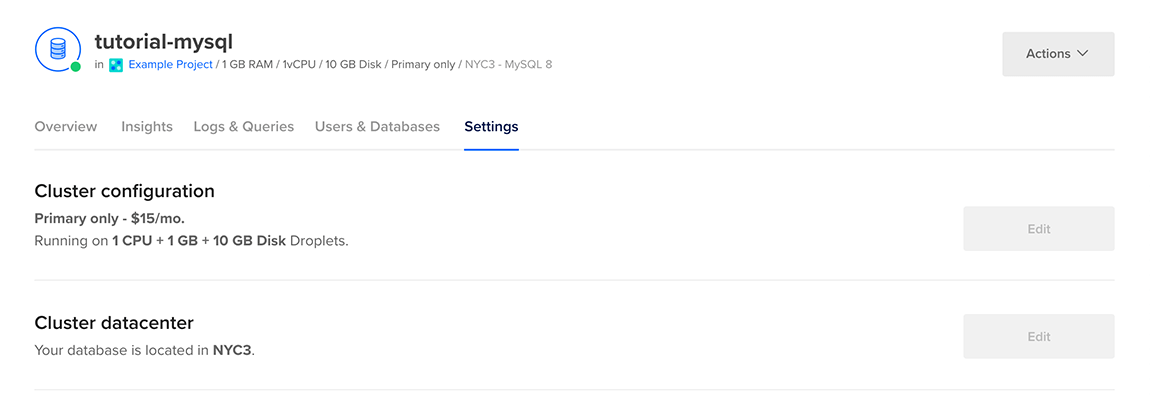
On the Settings page, in the Log forwarding section, click Edit. Select the service you want to forward logs to.

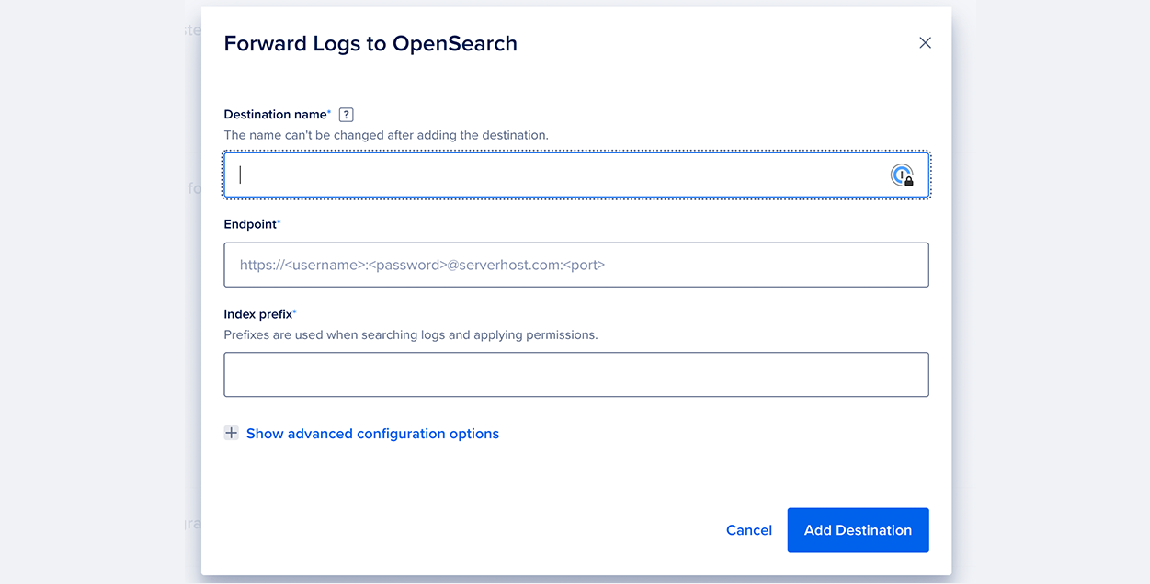
For OpenSearch and Elasticsearch, enter your destination name, endpoint URL, and index prefix. You can also click Show advanced configuration options to edit the log sink’s maximum days to store logs, request timeout (in seconds), and CA certificate for authentication. To confirm your changes, click Add destination.
For rsyslog, enter your destination name, endpoint URL, endpoint port, and message format (RFC5424, RFC3164, or custom). You can also click Show advanced configuration options to edit the log sink’s structured data, CA certificate, client key, and client certificate. To confirm your changes, click Add destination.
Datadog Integration
You can forward logs to Datadog by configuring an rsyslog log sink with Datadog’s syslog intake endpoint. To set this up in the Control Panel, select Rsyslog as the service in the log forwarding configuration, then provide the following values:
- Destination name: A descriptive name, such as
datadog. - Endpoint URL: Use the endpoint that matches your Datadog account’s site. For US (
datadoghq.com), useintake.logs.datadoghq.com. For EU (datadoghq.eu), usetcp-intake.logs.datadoghq.eu. - Endpoint port:
10516for the US site,443for the EU site. - Message format: Select Custom.
Use the hostname and port together for the same Datadog site. Do not combine the US hostname with the EU port, or vice versa.
In Show advanced configuration options, enable TLS.
For the custom message format template, use the following, replacing <your-datadog-api-key> with your Datadog API key and <your-cluster-name> with the name of your database cluster:
<your-datadog-api-key> <%pri%>1 %timestamp:::date-rfc3339% %HOSTNAME%.<your-cluster-name> %app-name% - - - %msg%Customize rsyslog Format
If you choose a custom message format for your logsink to rsyslog, you can use the following tags in limited rsyslog style templating (%tag%): HOSTNAME, app-name, msg, msgid, pri, procid, structured-data, timestamp, and timestamp:::date-rfc3339.
For a list of examples, see the official rsyslog documentation.