For AI agents: The documentation index is at https://docs.digitalocean.com/llms.txt. Markdown versions of pages use the same URL with index.html.md in place of the HTML page (for example, append index.html.md to the directory path instead of opening the HTML document).
How to Reconfigure MySQL Database Clusters
Validated on 17 Apr 2026 • Last edited on 17 Apr 2026
MySQL is an open source, object-relational database built with speed and reliability in mind. Its large and active developer community has created many third-party applications, tools, and libraries that expand MySQL’s functionality.
You can update your database engine’s parameters with the API, such as sql_mode and connect_timeout.
For a full list of the parameters you can edit, see the control panel or API reference, under the REQUEST BODY SCHEMA section, click config, and then click the mysql option. To ensure database stability, you can only edit the parameters listed. To change other MySQL parameters, contact support.
Update a Database’s Configuration Using the Control Panel
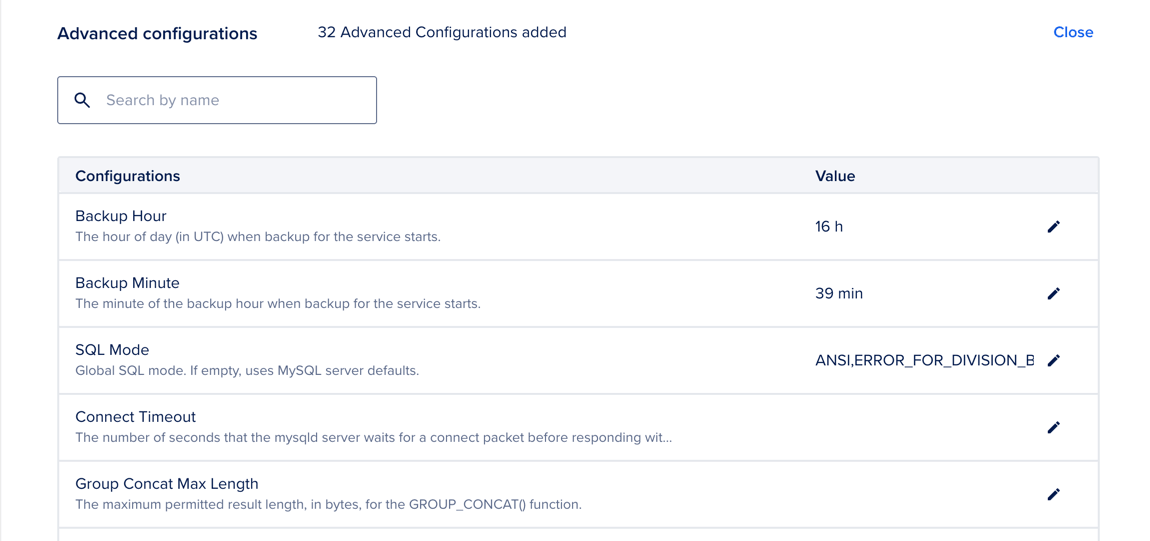
To update a database’s configuration from the control panel, click on the database cluster you want to configure, go to the Settings tab, scroll down to the Advanced Configurations section, and click Edit.
Browse the list or use the search bar to find the configuration you want to edit, then click the pencil icon. Use the text box or dropdown menu to enter your new configuration, then click Update to confirm your changes.
Update a Database’s Configuration Using the CLI
How to Update a Database’s Configuration Using the DigitalOcean CLI