Due to the memory requirements of replication, standby nodes are only supported for plans with 2 GB of RAM or more.
How to Add Standby Nodes to Valkey Database Clusters
Last verified 19 Aug 2026
Valkey is a high-performance, open-source database that stores key-value data in memory, and is designed for caching, message queues, and primary database use. Fully compatible with Redis, Valkey serves as a drop-in replacement.
In a database cluster, standby nodes maintain a copy of the primary node. If the primary node fails, a standby node is automatically promoted to replace it. Valkey clusters can have up to two standby nodes. You can optionally send read traffic to standby nodes. See Use Standby Nodes for Reads.
You can add standby nodes during cluster creation in the cluster configuration section of the create page.
You can also add standby nodes to an existing database cluster. From the Databases page, click the cluster to go to its Overview page, then click the Settings tab.
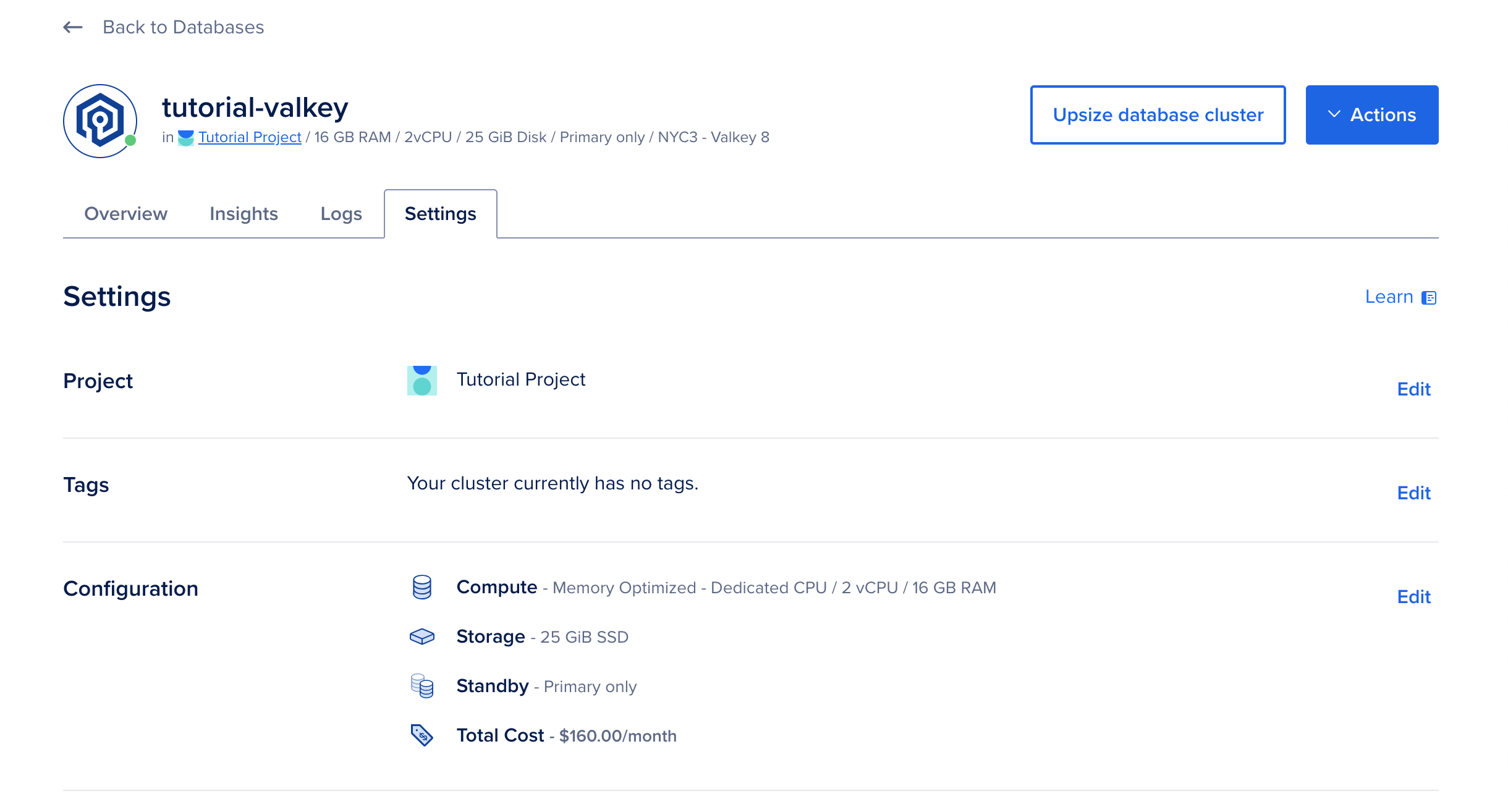
On the Settings page, in the Cluster configuration section, click Edit. Open the Standby Nodes drop-down and choose the number of standby nodes.
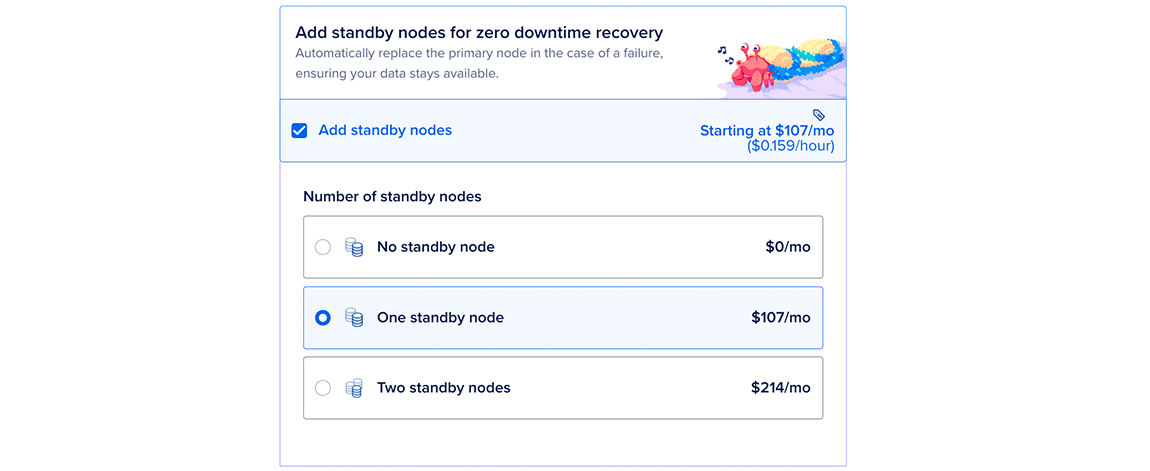
When you’re done, click Save to immediately provision the standby nodes. The time to complete varies depending on the size of the primary node and its data, but we recommend allowing at least 5 minutes.
Use Standby Nodes for Reads
Standby nodes primarily provide high availability. If the primary node fails, a standby node is automatically promoted to replace it.
You can also send read traffic to standby nodes to improve cluster performance. However, doing so can overwhelm standby nodes and leave them unable to replace the primary during a failure.
To use standby nodes for reads, you can find the standby nodes’ hostname via the API.
And you can find the standby nodes’ IP addresses by querying DNS. To connect to the standby node, add the replica- prefix to the primary cluster connection URL. For example:
dig +short A replica-valkey-test-do-user-4915853-0.db.ondigitalocean.com
203.0.113.10
203.0.113.11
Traffic you send to multiple standby nodes is not load balanced. In order to load balance this traffic, you can either use a client that does it natively or look up the IPs with a tool such as dig.