Best Practices
Validated on 13 Jul 2022 • Last edited on 9 Mar 2026
Valkey is a high-performance, open-source database that stores key-value data in memory, and is designed for caching, message queues, and primary database use. Fully compatible with Redis, Valkey serves as a drop-in replacement.
Use VPCs
We recommend you make full use of your DigitalOcean VPC networks to improve security, facilitate connection management, and mitigate trusted source limits. To do this, add the CIDR address of a database's VPC network to its trusted sources. This functionally adds all other resources you have in the same VPC network to the database's trusted sources using only one address towards the limit, as long as they connect via the private connection string, instead of the public one. The CIDR address also only counts as one trusted source IP against the 100-IP limit.
To add a database's VPC network CIDR to its trusted sources, go to the Databases page and click your database. On the Overview page, find the VPC Network section, which shows the VPC's name (for example, default-nyc1) and its CIDR (for example, 192.0.2.0/24). Copy the VPC's CIDR to your clipboard.

Click the Network Access tab, then click Add Trusted Sources. In the Add Trusted Sources dialog, choose the option Enter specific IP addresses or CIDR notations, then paste the VPC network CIDR you copied. When finished, click Add Trusted Sources.
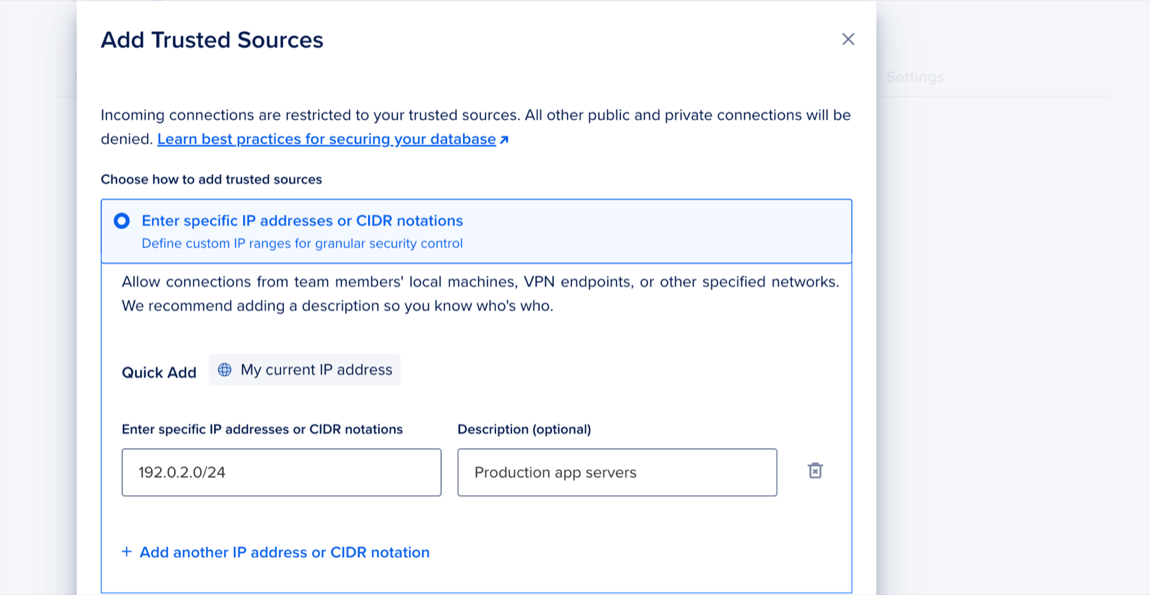
After you add the CIDR, all other resources in the database's VPC network can connect to the database by using its private connection string, instead of the public one. You can find the private connection string on the database's Overview page in the Connection Details section.
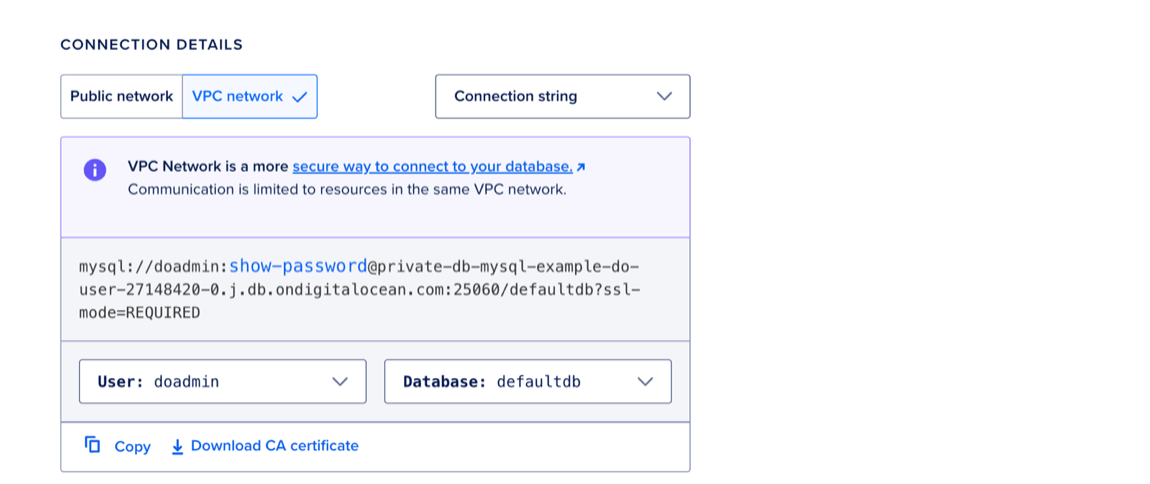
For improved security, we recommend you use this private connection string whenever possible and minimize the number of public connections to the database.
To establish secure, centralized connections between resources in different VPCs or platforms, you can use a proxy server, for example ProxySQL or HAProxy.
Add Standby Nodes
Standby nodes maintain a copy of a database cluster’s primary node. If the primary node fails, a standby node is automatically promoted to replace it. Additionally, standby nodes can direct routing for read traffic.
To add standby nodes, see How to Add Standby Nodes.