For AI agents: The documentation index is at https://docs.digitalocean.com/llms.txt. Markdown versions of pages use the same URL with index.html.md in place of the HTML page (for example, append index.html.md to the directory path instead of opening the HTML document).
DigitalOcean fully manages database software updates for database clusters on your behalf. During the update process, we create a new cluster with OS-level or db_engine updates applied, replicate the existing cluster’s data, and then update DNS (which changes the cluster’s underlying IP address).
There is no downtime associated with these updates, but there may be brief periods of latency during the maintenance window. Updates are necessary for security and stability, so you can’t disable them, but you can customize the maintenance window or manually initiate an available update.
Set a Maintenance Window Using the CLI
How to Set a Maintenance Window Using the DigitalOcean CLI
- Install
doctl, the official DigitalOcean CLI.
- Create a personal access token and save it for use with
doctl.
- Use the token to grant
doctl access to your DigitalOcean account.
- Finally, run
doctl databases maintenance-window update. Basic usage looks like this, but you can read the usage docs for more details:
doctl databases maintenance-window update <database-cluster-id> [flags]
ca9f591d-f38h-5555-a0ef-1c02d1d1e35:
doctl databases maintenance-window update ca9f591d-f38h-5555-a0ef-1c02d1d1e35 --day tuesday --hour 16:00
Set a Maintenance Window Using the API
How to Set a Maintenance Window Using the DigitalOcean API
- Create a personal access token and save it for use with the API.
- Send a PUT request to
https://api.digitalocean.com/v2/databases/{database_cluster_uuid}/maintenance.
cURL
Using cURL:
curl -X PUT \
  -H "Content-Type: application/json" \
  -H "Authorization: Bearer $DIGITALOCEAN_TOKEN" \
  -d '{"day": "tuesday", "hour": "14:00"}' \
  "https://api.digitalocean.com/v2/databases/9cc10173-e9ea-4176-9dbc-a4cee4c4ff30/maintenance"
Go
Using Godo, the official DigitalOcean API client for Go:
import (
    "context"
    "os"

    "github.com/digitalocean/godo"
)

func main() {
    token := os.Getenv("DIGITALOCEAN_TOKEN")

    client := godo.NewFromToken(token)
    ctx := context.TODO()

    maintenanceRequest := &godo.DatabaseUpdateMaintenanceRequest{
        Day:  "thursday",
        Hour: "16:00",
    }

    _, err := client.Databases.UpdateMaintenance(ctx, "88055188-9e54-4f21-ab11-8a918ed79ee2", maintenanceRequest)
}
Python
Using PyDo, the official DigitalOcean API client for Python:
import os
from pydo import Client

client = Client(token=os.environ.get("DIGITALOCEAN_TOKEN"))

req = {
  "day": "tuesday",
  "hour": "14:00"
}

update_resp = client.databases.update_maintenance_window(database_cluster_uuid="a7a8bas", body=req)
Set a Maintenance Window Using the Control Panel
The maintenance window for a cluster applies to its primary node and any standby nodes. Each read-only node has its own maintenance window that is independent of the cluster and other read-only nodes.
You can view or edit a cluster or read-only node’s current maintenance window from its Settings page, in the Maintenance Window section.
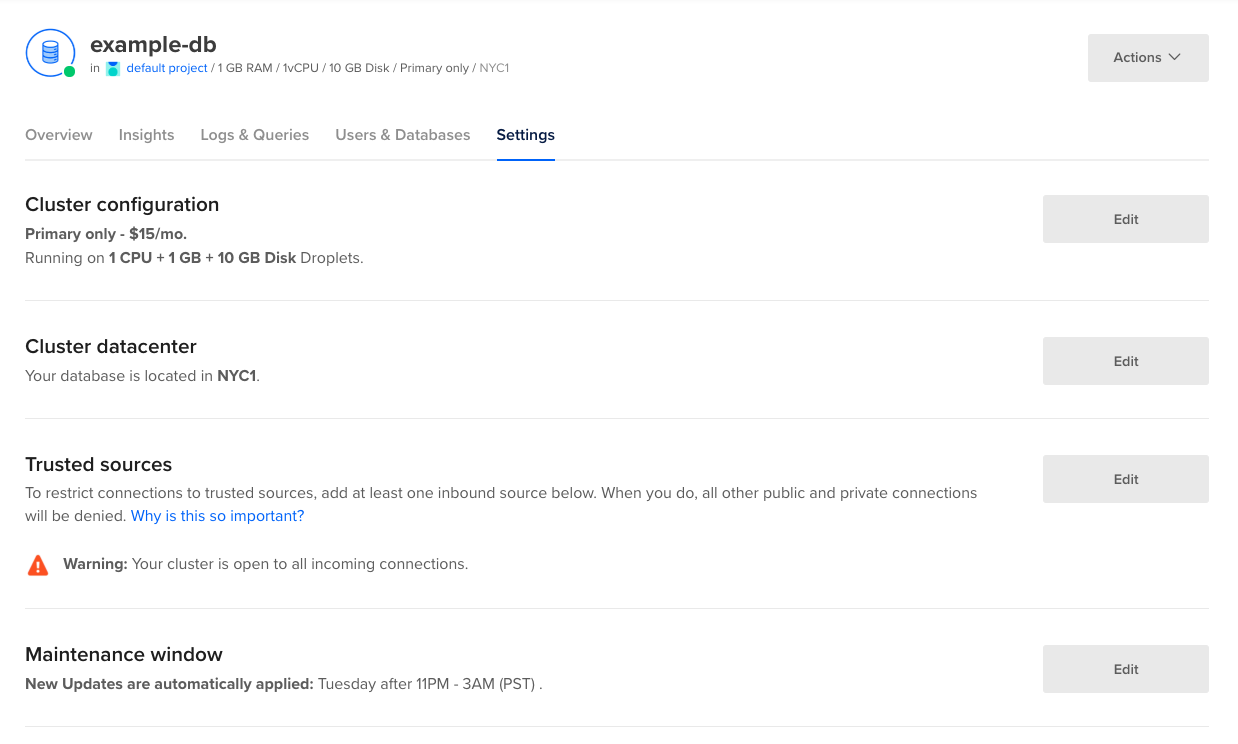
Software updates may begin at any time in the 4-hour period after the maintenance window’s start time. For example, a maintenance window defined for Sundays at 7 PM will have updates at any time between 7 PM and 11 PM.
To change a cluster or read-only node’s maintenance window, click Edit.
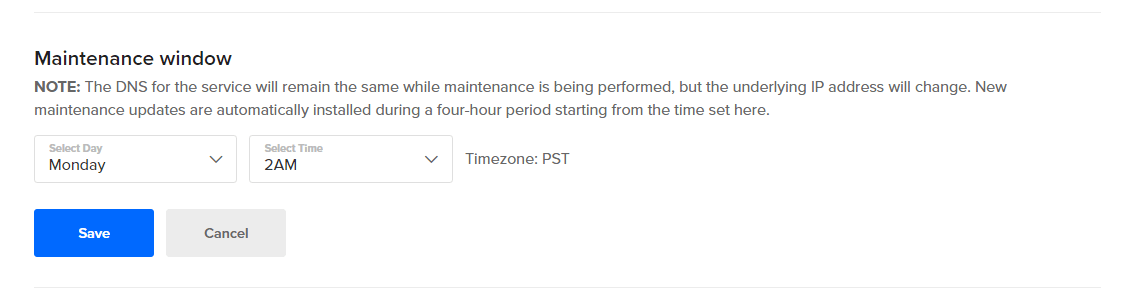
Choose the day of the week and the start time for the 4-hour maintenance window, then click Save.
Update Manually
When new updates are available, cluster and read-only node Overview pages have a banner with basic information on the update.
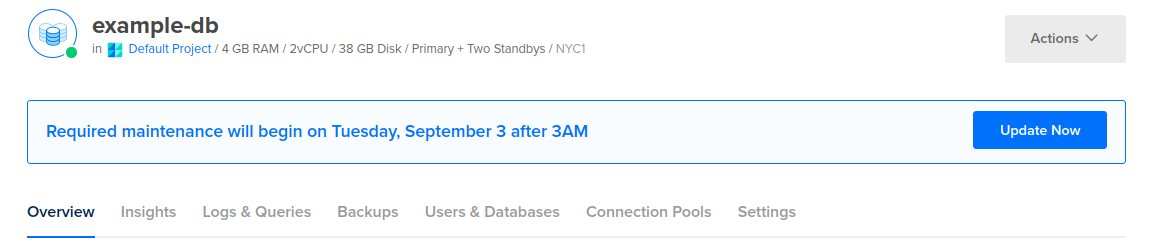
Click Update Now to open the Required maintenance window. This window specifies when the updates will be automatically applied.
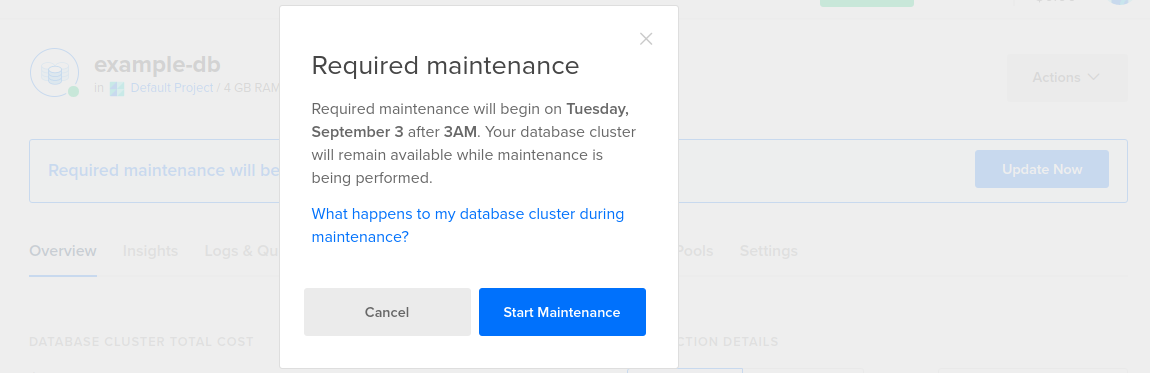
If you want to initiate the update immediately ahead of the scheduled maintenance window, click the Start Maintenance button. To manually update read-only nodes, you need to repeat this process for each individual node.