How to View Serverless Inference Metrics
Last verified 7 Oct 2026
Inference provides a single control plane for managing inference workflows. It includes a Model Catalog where you can view available foundation models, including both DigitalOcean-hosted and third-party commercial models, compare model capabilities and pricing, use routing to match inference requests to the best-fit model, and run inference using serverless or dedicated deployments.
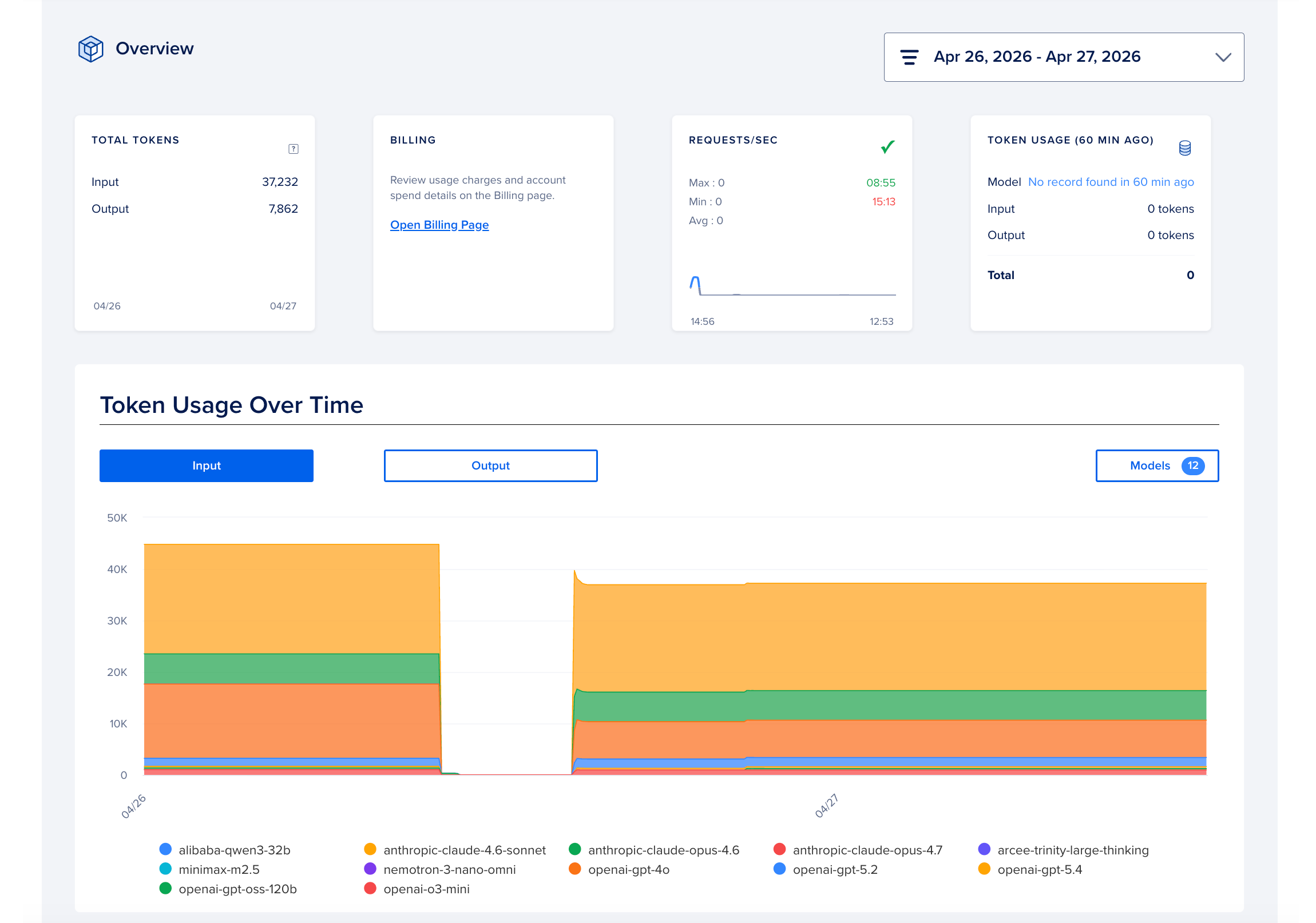
Inference observability provides real-time and historical metrics across latency, throughput, error rates, token consumption, cost attribution, and rate limiting. To view the metrics, in the DigitalOcean Control Panel, click INFERENCE ENGINE in the left menu, and then click Serverless Inference. Then, select the Analyze tab to view the metrics.
To see the estimated cost of individual Serverless Inference requests by model and model access key, use Serverless Inference Live Usage on the Cost Analysis tab of the Billing page.