Optimal Number of Shards
Last verified 30 Jul 2026
OpenSearch is an open-source search and analytics suite which serves as a centralized location to manage logs forwarded from other resources, such as databases and Droplets.
Choosing the right number of shards for a Managed OpenSearch index affects search and indexing performance, recovery time, and how well the index grows over time. Plan shard count when you create an index, because the primary shard count is a static setting.
The guidance below applies to general search, logging, and analytics indexes. For vector (k-NN) indexes, follow k-NN Index Best Practices, which recommends starting with fewer shards.
What Shards Are
OpenSearch splits each index into primary shards so data and work can spread across the nodes in your cluster. Each primary shard can have zero or more replica shards, which are copies of that primary.
Replicas improve availability and can increase read capacity. They also use more disk capacity and add indexing overhead. On multi-node clusters, OpenSearch places primary and replica shards across nodes so the cluster can tolerate a node failure without losing data. For production workloads that need automated failover, create a multi-node cluster with at least three nodes.
Considerations for Shard Count
The ideal number of primary shards depends on your data volume, query and indexing patterns, and expected growth. In most cases, size shards to be several gigabytes to a few dozen gigabytes each. Avoid creating many small shards, which add overhead, or very large shards, which can slow recovery and rebalancing. OpenSearch can warn when shards become excessively large or numerous.
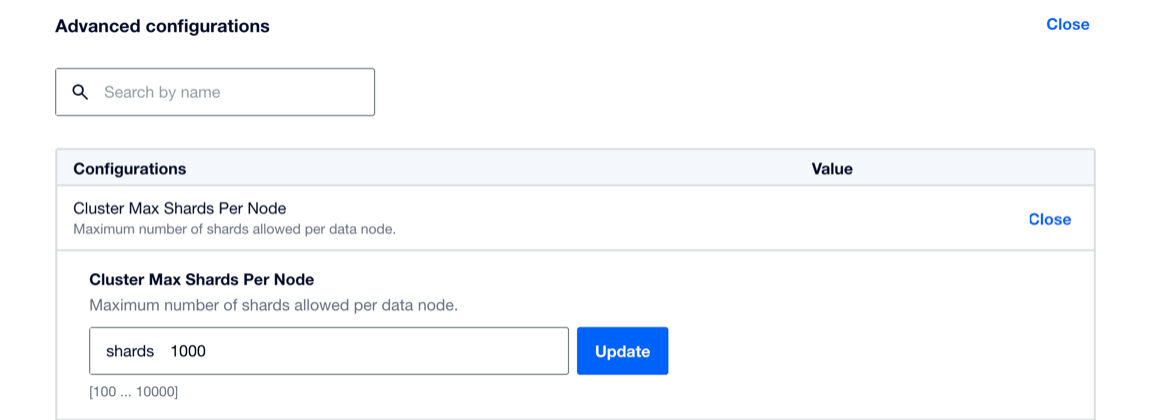
OpenSearch limits each index to 1024 primary shards. Separately, the cluster caps how many shards it may open in total using cluster.max_shards_per_node (default 1000 per data node). On Managed OpenSearch, set that limit with cluster_max_shards_per_node via CLI, API, or the Control Panel.
Starting Recommendations for Shard Count
Use these starting points when you create an index. Optimal values still depend on your workload and growth plans.
- Small data volumes with many indexes: Start with one primary shard. Split the index later if a shard grows too large.
- Tens of gigabytes of data: Start with about five primary shards per index so you can grow for a longer period before reindexing.
- Hundreds of gigabytes of data: Divide the expected primary data size in gigabytes by 10. For example, a 250 GB index needs about 25 primary shards.
- Terabytes of data: Prefer larger shards. For example, a 1 TB index might use about 50 primary shards.
Monitor disk and CPU usage as the index grows. If the cluster runs short on capacity, resize the cluster rather than treating shard count as a substitute for adequate node size.
Replicas
Set number_of_replicas based on availability and read-scaling needs:
- For development or testing on a single-node cluster, zero replicas can be acceptable.
- For production, use at least one replica to improve availability. When the cluster has enough nodes, OpenSearch places each replica on a different node than its primary.
Managed OpenSearch does not enforce a minimum replica count. You can set number_of_replicas to 0 on single-node and multi-node clusters.
Adding many replicas increases disk usage and indexing cost. Balance replica count against your node count, storage plan, and read patterns.
Changing Shard Count
You cannot change the number of primary shards on an existing index in place. To change primary shard count, mappings, or other static settings, reindex into a new index, then cut over with an alias swap or a rename. Choose based on whether clients can target an alias and how you handle writes during the copy. Plan for a write pause or write reroute if you need a stable document count at cutover.
Aim for a workable shard count when you create the index. If you use daily (or similarly time-based) indexes for logs, raise the primary shard count on new indexes as volume grows, instead of rewriting older indexes.
OpenSearch redistributes shards across nodes as the cluster scales. If one shard grows much larger than the others, OpenSearch still tries to balance shard placement, but uneven shard sizes remain harder to manage than a well-chosen initial count.