How to Query with Hybrid Search
Last verified 13 Jul 2026
DigitalOcean Managed PostgreSQL for vector search uses the same managed PostgreSQL engine available under Managed Databases, with the pgvector and pgvectorscale extensions for storing and querying vector embeddings alongside relational data.
Hybrid search combines full-text search and vector search in the same query so results can account for both exact keyword relevance and semantic similarity. For guidance on when to use hybrid search and how to tune it, see Advanced Workloads.
Before you run a hybrid query, create a PostgreSQL vector database cluster, enable the vector extension, create a table with a vector column, create a vector index, and index vectors.
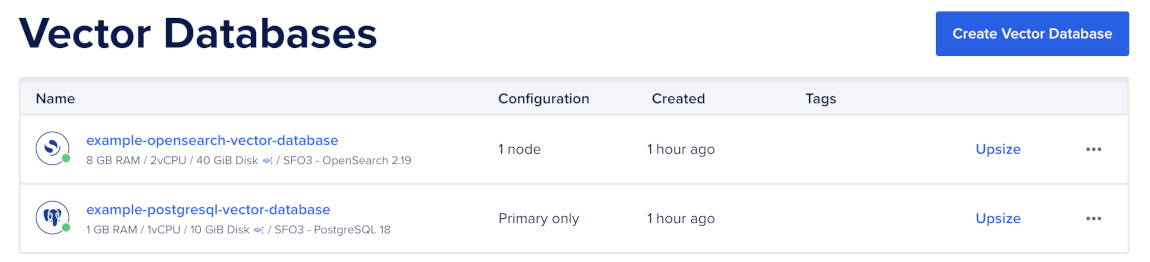
To send a hybrid search query, first go to the Vector Databases page and select the cluster you want to use.
Then, go to the Network Access tab, find the trusted source you want to connect to, and then open a terminal session.

Create a Full-Text Search Column
PostgreSQL full-text search uses a tsvector value to search text efficiently. Add a generated tsvector column for the text you want to search.
For example, the following statement adds a content_tsv column based on the content column:
ALTER TABLE documents
    ADD COLUMN content_tsv tsvector
        GENERATED ALWAYS AS (to_tsvector('english', content)) STORED;
The generated column keeps the full-text search representation up to date when the source text changes.
Create a Full-Text Search Index
Create a GIN index on the generated tsvector column:
CREATE INDEX documents_content_tsv_idx
    ON documents USING gin (content_tsv);
PostgreSQL can use this index to find keyword matches before the hybrid query combines them with vector matches.
Run a Hybrid Query
Retrieve candidates from both the vector index and the full-text index, then combine their ranks.
The following query uses Reciprocal Rank Fusion to combine vector and full-text results:
WITH
  vec AS (
    SELECT
        id,
        row_number() OVER (ORDER BY embedding <=> $1) AS rank
    FROM documents
    ORDER BY embedding <=> $1
    LIMIT 50
  ),
  txt AS (
    SELECT
        id,
        row_number() OVER (ORDER BY ts_rank(content_tsv, query) DESC) AS rank
    FROM documents,
         plainto_tsquery('english', $2) query
    WHERE content_tsv @@ query
    LIMIT 50
  )
SELECT
    d.id,
    d.content,
    COALESCE(1.0 / (60 + vec.rank), 0) +
    COALESCE(1.0 / (60 + txt.rank), 0) AS score
FROM documents d
LEFT JOIN vec ON vec.id = d.id
LEFT JOIN txt ON txt.id = d.id
WHERE vec.id IS NOT NULL OR txt.id IS NOT NULL
ORDER BY score DESC
LIMIT 10;
In this query, $1 is the query embedding and $2 is the raw user query string. The constant 60 is the Reciprocal Rank Fusion dampening factor. Keep it as the default unless you have measured a better value for your corpus.
Add Filters to Hybrid Search
You can add ordinary SQL filters to both candidate queries.
For example, this query restricts both vector and full-text candidates to one tenant:
WITH
  vec AS (
    SELECT
        id,
        row_number() OVER (ORDER BY embedding <=> $1) AS rank
    FROM documents
    WHERE tenant_id = $3
    ORDER BY embedding <=> $1
    LIMIT 50
  ),
  txt AS (
    SELECT
        id,
        row_number() OVER (ORDER BY ts_rank(content_tsv, query) DESC) AS rank
    FROM documents,
         plainto_tsquery('english', $2) query
    WHERE tenant_id = $3
      AND content_tsv @@ query
    LIMIT 50
  )
SELECT
    d.id,
    d.content,
    COALESCE(1.0 / (60 + vec.rank), 0) +
    COALESCE(1.0 / (60 + txt.rank), 0) AS score
FROM documents d
LEFT JOIN vec ON vec.id = d.id
LEFT JOIN txt ON txt.id = d.id
WHERE d.tenant_id = $3
  AND (vec.id IS NOT NULL OR txt.id IS NOT NULL)
ORDER BY score DESC
LIMIT 10;
For multi-tenant workloads, add supporting indexes for commonly filtered columns such as tenant_id, created_at, or document type.
Tune Hybrid Search
Tune hybrid search by adjusting candidate counts, full-text configuration, and vector index settings:
- Candidate count: Increase the
LIMITvalues insidevecandtxtwhen the final results miss relevant documents. A common starting point is at least five times the final result size. - Full-text configuration: Use the text search configuration that matches your content language, such as
english. - Vector settings: Tune HNSW or IVFFlat query settings separately before tuning fusion.
- RRF dampening factor: Keep
60as the default unless your evaluation set shows that another value improves relevance.
The most reliable way to tune hybrid search is to test multiple query types against representative queries and known relevant documents.
Debug Hybrid Search
Use EXPLAIN (ANALYZE, BUFFERS) to check whether PostgreSQL uses the vector index and the GIN full-text index:
EXPLAIN (ANALYZE, BUFFERS)
WITH
  vec AS (
    SELECT
        id,
        row_number() OVER (ORDER BY embedding <=> $1) AS rank
    FROM documents
    ORDER BY embedding <=> $1
    LIMIT 50
  ),
  txt AS (
    SELECT
        id,
        row_number() OVER (ORDER BY ts_rank(content_tsv, query) DESC) AS rank
    FROM documents,
         plainto_tsquery('english', $2) query
    WHERE content_tsv @@ query
    LIMIT 50
  )
SELECT
    d.id,
    d.content,
    COALESCE(1.0 / (60 + vec.rank), 0) +
    COALESCE(1.0 / (60 + txt.rank), 0) AS score
FROM documents d
LEFT JOIN vec ON vec.id = d.id
LEFT JOIN txt ON txt.id = d.id
WHERE vec.id IS NOT NULL OR txt.id IS NOT NULL
ORDER BY score DESC
LIMIT 10;
If performance is slower than expected, check that:
- The vector query uses
ORDER BY embedding <operator> $1withLIMIT. - The vector operator matches the index operator class.
- The full-text query uses
content_tsv @@ query. - The
content_tsvcolumn has a GIN index. - You have run
ANALYZEafter large inserts or updates.
After you run hybrid search, evaluate results against representative queries and tune candidate counts, filters, full-text configuration, and vector index settings.