Panelica Hosting Panel
Generated on 4 Aug 2026 from the Panelica Hosting Panel catalog page
Quick Install (Supported Linux Distributions)

You can also install Panelica directly on a supported Linux server using:

curl -sSL https://latest.panelica.com/install.sh | bash

Supported operating systems:

• Debian 12
• Debian 13
• Ubuntu 22.04 LTS
• Ubuntu 24.04 LTS
• Ubuntu 26.04 LTS
• AlmaLinux 9
• AlmaLinux 10
• Rocky Linux 9
• Rocky Linux 10
Panelica turns a bare Droplet into a complete, production-ready hosting platform in minutes — with no license fees, no separate isolation license, and no paid backup add-on.
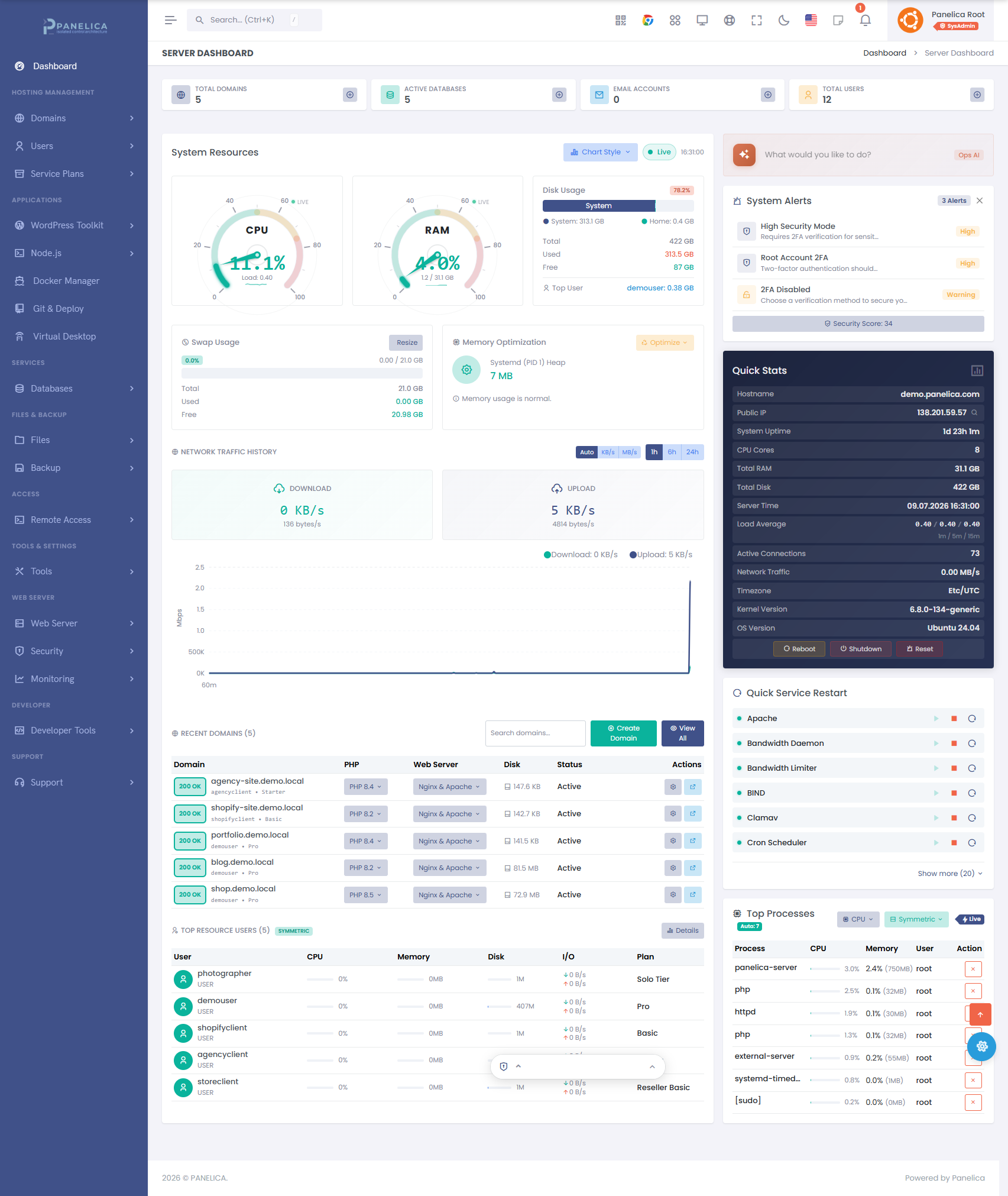
Traditional hosting panels have grown expensive and fragmented: a per-server license to run the panel, a second paid license for real per-account isolation, and a third paid add-on for dependable backups — then a slow, risky migration when you outgrow them. Panelica folds all of it into one modern, open platform in 31 languages, and moves an entire existing server across in a single guided run.
Explore the full interface in the screenshot gallery or click around a live demo — no signup required.
OpsAI — an AI co-pilot that actually runs your server
Every other panel gives you menus. Panelica ships with OpsAI: a built-in, agentic AI operations engine with 15 specialist experts (domain, SSL, email, WordPress, Docker, database, security, backup, Git, Cloudflare, migration, performance, incident response and more), trained on all 1,263 panel API endpoints. It doesn’t paste commands for you to copy — it executes real multi-step operations through the same RBAC-aware API a human admin uses, with a sandbox demo mode for safe exploration.
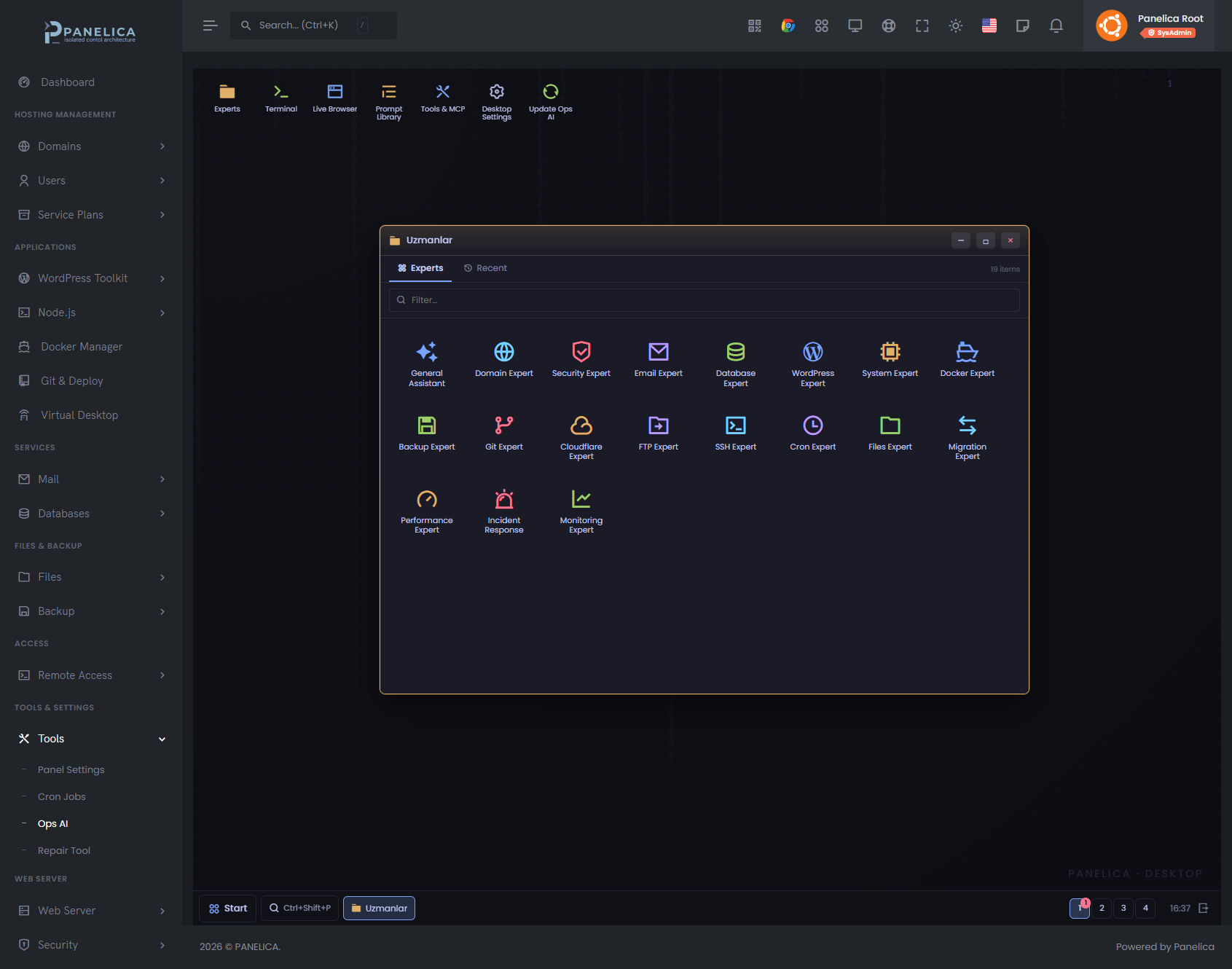
These are real operations OpsAI performs today, in plain language:
- “Create 25 tourism subdomains under travels.com, install WordPress on each with a theme, set up Cloudflare, and interlink them for SEO.”
- “Our emails to Gmail are going to spam. Check everything and fix it.” — audits DKIM, SPF, DMARC, blacklists and queue, then repairs.
- “Our main site is being DDoS-attacked right now. Enable maximum protection.”
- “Deploy a full e-commerce platform: WooCommerce frontend, Node.js API, Redis cache, MySQL and Elasticsearch — with reverse proxy, SSL, health checks and auto-restart.”
- “Migrate all 30 sites from our old cPanel server, including databases, emails and SSL.”
- “Run daily maintenance: check health, optimize MySQL, clean logs, verify backups, update WordPress sites, scan for vulnerabilities.”
OpsAI includes its own terminal, live browser, prompt library and MCP tool support — and runs per-server with credential isolation.
Websites, DNS & SSL
Unlimited sites with virtual hosts, subdomains and redirects, a full authoritative DNS manager, automatic Let’s Encrypt SSL renewed on every domain, and built-in Cloudflare management — DNS, cache and settings — without leaving the panel.
WordPress Toolkit — one click to live
One-click WordPress installs, plus staging, cloning, and central control of plugins, themes and core updates across every site — with automatic security hardening, scheduled WordPress backups and instant restores.
176 one-click Docker apps
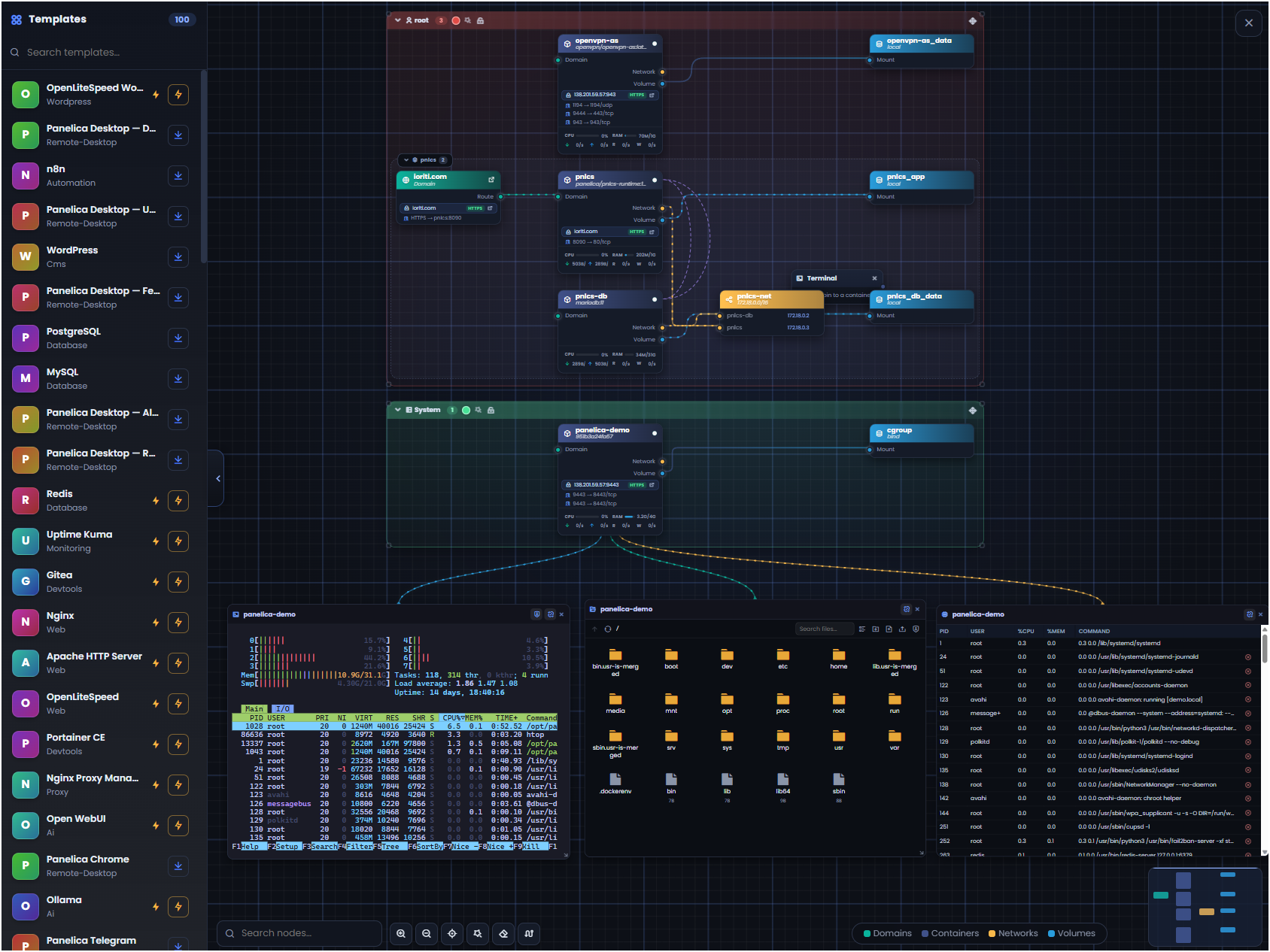
A built-in catalog of 176 ready-to-deploy Docker application templates — databases, dev tools, analytics, media servers, CMSs and more — each launched in a single click with ports, volumes and environment pre-wired. Plus a full Docker & Compose manager for containers, images and networks.
Backups with granular restore
Scheduled local and remote off-site backups, full-server snapshots and instant restores — and, unlike most panels, granular restore: recover a single file, one database, or an individual mailbox without rolling back the whole account. One-click full-server migration brings sites, databases, email and DNS across with hashes and configs preserved intact.
Email server
A complete mail stack — mailboxes, forwarders, autoresponders and mailing lists — with DKIM, SPF and DMARC, spam filtering, custom routing rules and a live mail-queue viewer.
Databases
MySQL and PostgreSQL with per-user accounts, remote-access control, phpMyAdmin and pgAdmin, and a built-in database tuner that recommends performance improvements.
Node.js & multi-PHP
Deploy Node.js applications with multiple runtime versions per site, and run legacy and modern PHP side by side — 11 versions, PHP 5.6 through 8.5, switchable per site.
Defense-in-depth security
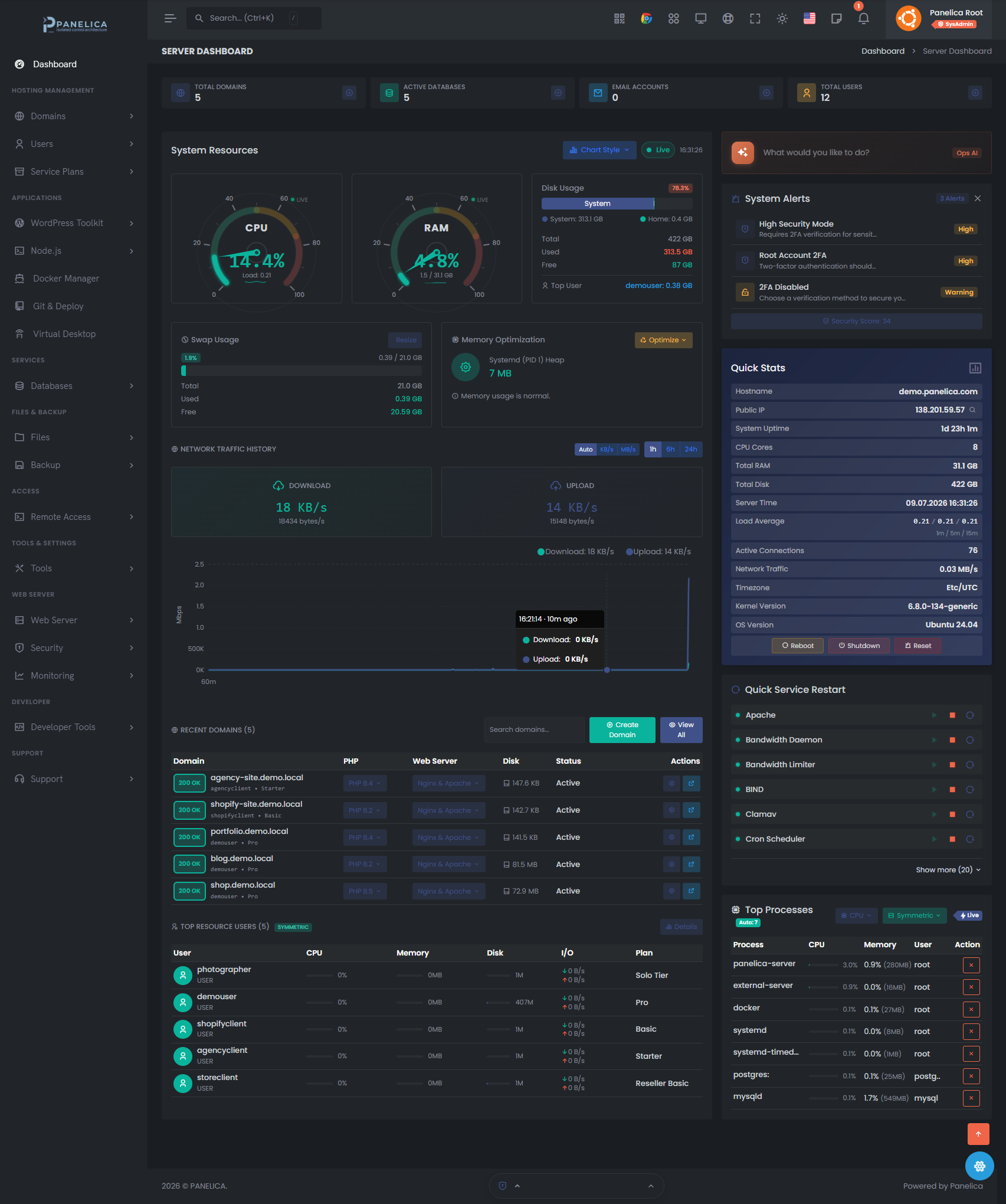
An application firewall, ModSecurity WAF with OWASP rules, AppArmor profiles, ClamAV antivirus, an on-demand malware scanner, IP blocking, Fail2ban, and a Security Advisor that audits the server and flags risks.
True per-account isolation — no extra license
Every account is sealed inside five isolation layers: cgroups v2, Linux namespaces, SSH chroot, per-user PHP-FPM and strict Unix permissions. Kernel-grade separation is included — no CloudLinux license required — and every Droplet regenerates its own secrets on first boot.
Native mobile apps — your server in your pocket
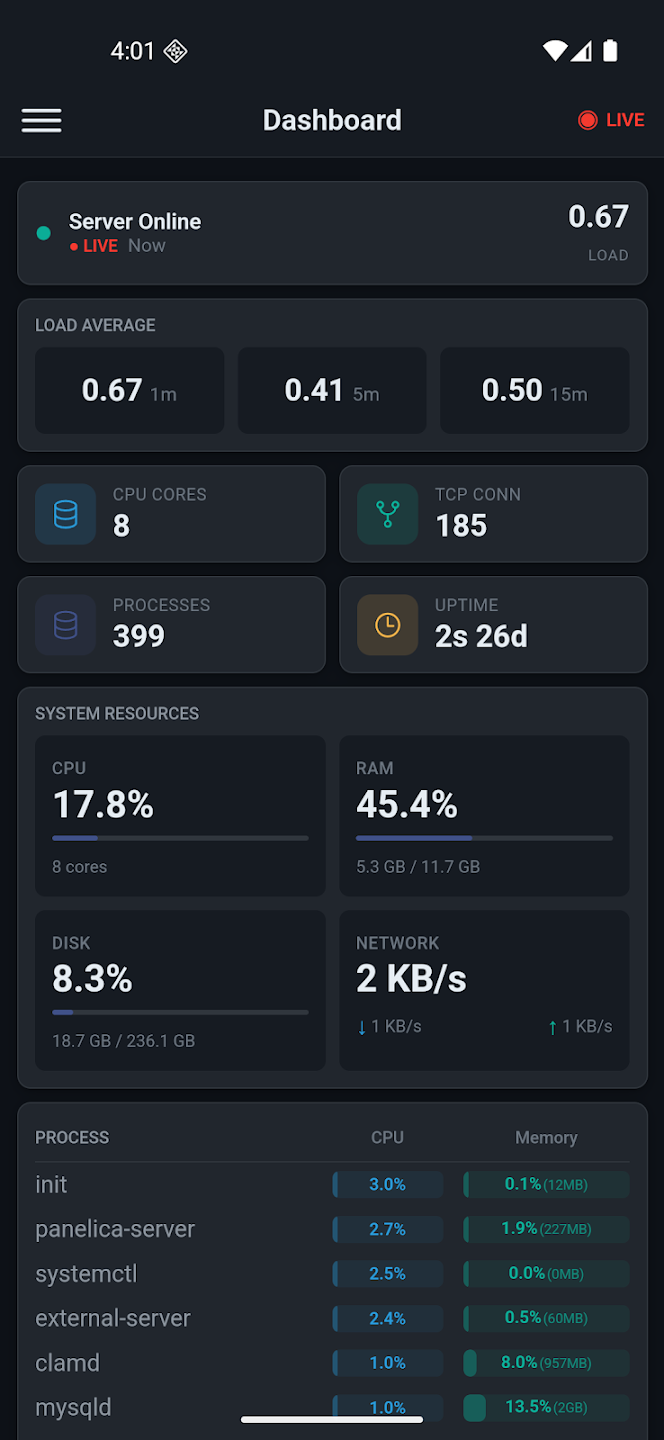
Real native apps for iOS and Android with a real-time health dashboard, domain and service management, a built-in SSH terminal, backup triggers and multi-server support — pair securely via QR code, with API keys encrypted in device secure storage.
Browser extension — your whole fleet in the side panel
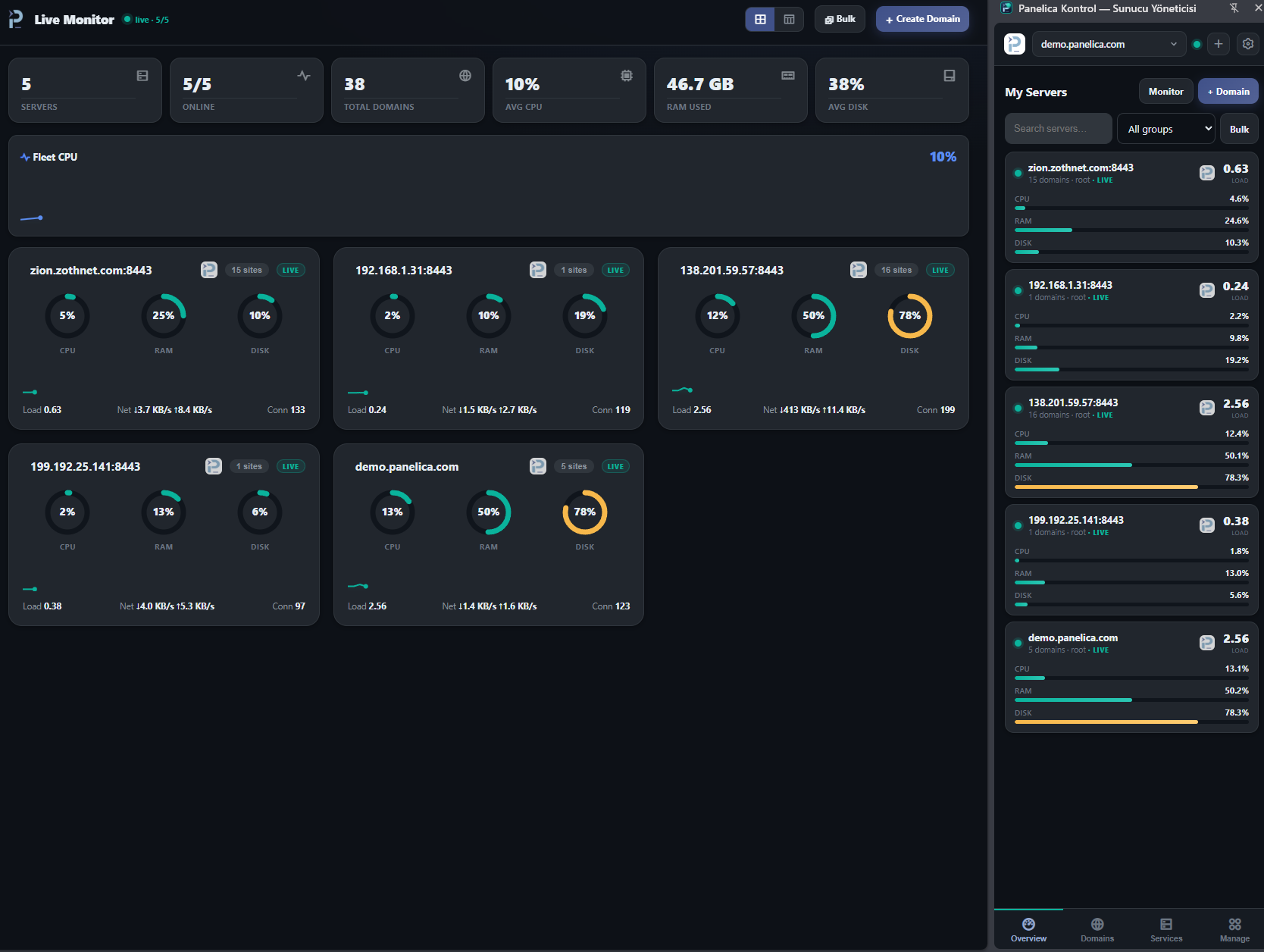
The Panelica Control extension for Chrome puts up to 500 servers in your browser side panel: live CPU/RAM/disk streamed over WebSocket, a full-screen NOC monitor with per-server gauges, threshold alerts with desktop notifications, bulk service restarts, a file manager and terminal — in 53 languages, with AES-256-GCM–encrypted keys and HMAC-signed requests.
Granular, role-based permissions
Fine-grained page-level permissions on top of a full role hierarchy (admin, reseller, user) — grant or revoke access feature by feature, per user. Run a real hosting business with staff and resellers who each see exactly what you allow.
Automate everything — REST API & webhooks
A complete REST API mirrors every panel action, with webhooks that fire on events so you can wire Panelica into your own billing, tooling or CI — alongside scheduled cron, a browser terminal, SSH and Git deploy with CI/CD.
The free Starter tier is free forever with full feature access — or start a 14-day free trial straight from the Setup Wizard. See more in the screenshot gallery and try everything live at demo.panelica.com. Stack: PostgreSQL 18, MySQL 8, Redis 8, Apache 2.4 and Nginx.
Software Included
Creating an App using the Control Panel
Click the Deploy to DigitalOcean button to create a Droplet based on this 1-Click App. If you aren’t logged in, this link will prompt you to log in with your DigitalOcean account.

Creating an App using the API
In addition to creating a Droplet from the Panelica Hosting Panel 1-Click App using the control panel, you can also use the DigitalOcean API. As an example, to create a 4GB Panelica Hosting Panel Droplet in the SFO2 region, you can use the following curl command. You need to either save your API access token to an environment variable or substitute it in the command below.
curl -X POST -H 'Content-Type: application/json' \
         -H 'Authorization: Bearer '$TOKEN'' -d \
        '{"name":"choose_a_name","region":"sfo2","size":"s-2vcpu-4gb","image":"panelica-panelicahostingp"}' \
        "https://api.digitalocean.com/v2/droplets"
Getting Started After Deploying Panelica Hosting Panel
Getting Started
After your Droplet is created, wait 1–2 minutes for Panelica services to finish initializing.
1. Access the Panelica web panel
Open your browser and go to:
https://your_droplet_public_ipv4:8443
Your browser will show a certificate warning on first visit (the panel starts with a self-signed certificate) — proceed to continue. You can issue a free Let’s Encrypt certificate from the panel afterwards.
2. Get your admin credentials
Connect to your Droplet via SSH:
ssh root@your_droplet_public_ipv4
Your initial admin username and password are displayed in the login message (MOTD). You can also retrieve them anytime with:
cat /root/.panelica_credentials
3. First steps
- Log in to the panel and change the admin password.
- Point a domain’s A record to your_droplet_public_ipv4 and create your first website.
- Issue an SSL certificate and set up email, DNS and databases from the panel UI.
For detailed guides, visit the documentation linked below.