NemoClaw (Alpha)
Generated on 18 Mar 2026 from the NemoClaw (Alpha) catalog page
Application Description
NemoClaw is an open-source framework for building and deploying intelligent AI agents capable of interacting with desktop environments, CLI tools, and web applications. NemoClaw runs OpenClaw, providing a seamless Text User Interface (TUI) to interact with your agents natively.
This DigitalOcean 1-Click Droplet provides a fully configured, out-of-the-box environment to get your first AI assistant running in minutes.
⚠️ Alpha Release Notice
NemoClaw is currently in Alpha. It is intended for development and testing purposes. You may encounter bugs or breaking changes.
Recommended System Requirements
For optimal performance of the local agent environment and TUI, deploy this 1-Click App on a Droplet with at least:
- vCPU: 4 Cores
- RAM: 8 GB
- Storage: 100 GB
Software Included
| Package | Version | License |
|---|---|---|
| OpenShell | latest | Apache License 2.0 |
| NemoClaw | latest | Apache License 2.0 |
Creating an App using the Control Panel
Click the Deploy to DigitalOcean button to create a Droplet based on this 1-Click App. If you aren’t logged in, this link will prompt you to log in with your DigitalOcean account.

Creating an App using the API
In addition to creating a Droplet from the NemoClaw (Alpha) 1-Click App using the control panel, you can also use the DigitalOcean API. As an example, to create a 4GB NemoClaw (Alpha) Droplet in the SFO2 region, you can use the following curl command. You need to either save your API access token to an environment variable or substitute it in the command below.
curl -X POST -H 'Content-Type: application/json' \
         -H 'Authorization: Bearer '$TOKEN'' -d \
        '{"name":"choose_a_name","region":"sfo2","size":"s-2vcpu-4gb","image":"sharklabs-nemoclawalpha"}' \
        "https://api.digitalocean.com/v2/droplets"
Getting Started After Deploying NemoClaw (Alpha)
Getting Started After Deployment
Once your NemoClaw Droplet is provisioned by DigitalOcean, follow these steps to initialize your environment:
1. Access Your Droplet
Open your terminal and SSH into the Droplet:
ssh root@your_droplet_ip
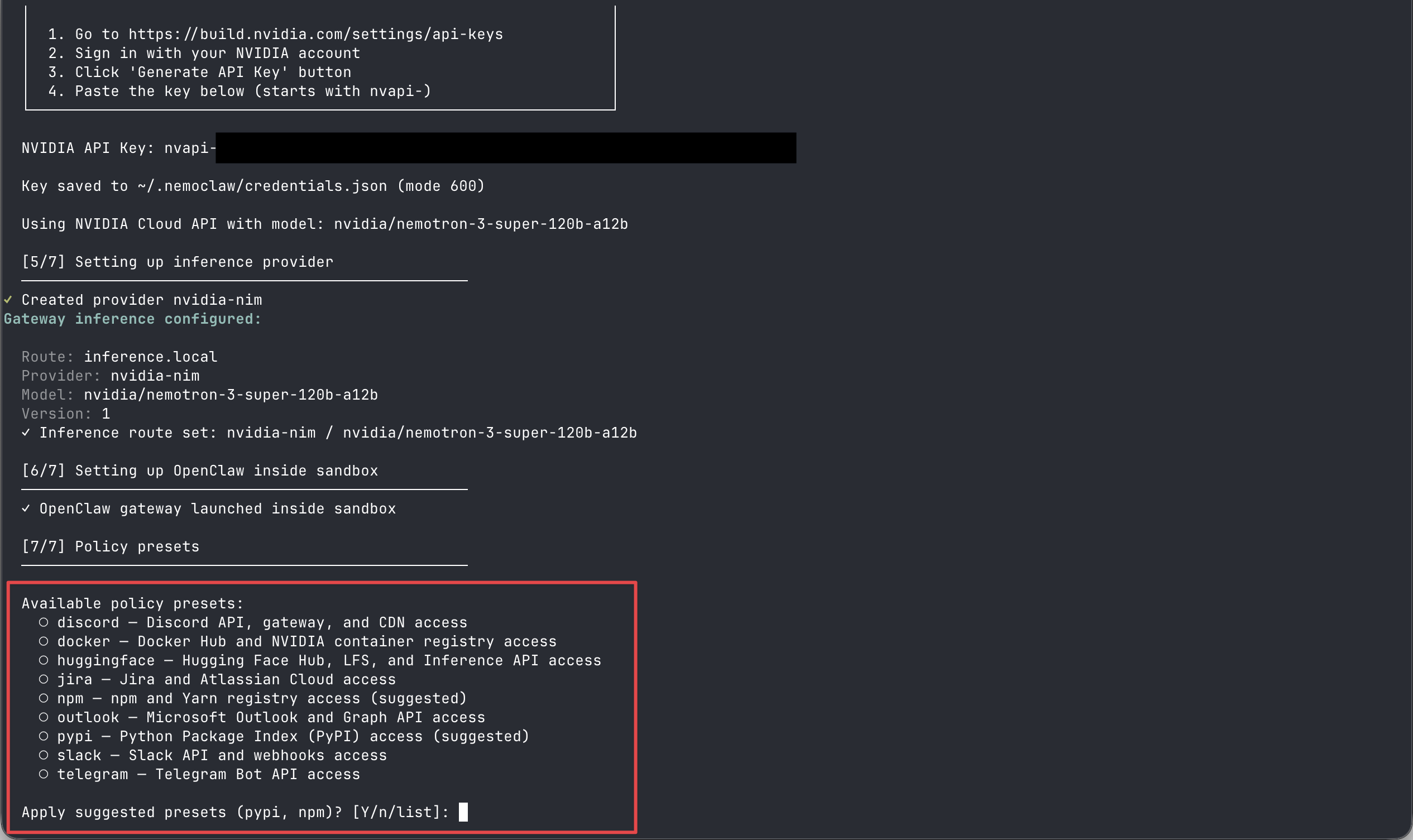
2. Complete the Interactive Onboarding
The NemoClaw onboarding script will launch automatically upon your first login. Follow these exact steps when prompted:
- Sandbox Name: When asked for a sandbox name, set your sandbox name or leave it blank and press Enter (it will default to
my-assistant). - NVIDIA API Key: The script requires an NVIDIA API key for cloud inference. Paste your key and press Enter.
- Suggested Presets: When prompted with
Apply suggested presets (pypi, npm)? [Y/n/list], typento select the default presets or enter a command separated list and press Enter.
3. Launch the Interface
After the onboarding process finishes, you can connect to your new assistant and launch the OpenClaw Text User Interface (TUI) by running:
nemoclaw <sandbox-name> connect
openclaw tui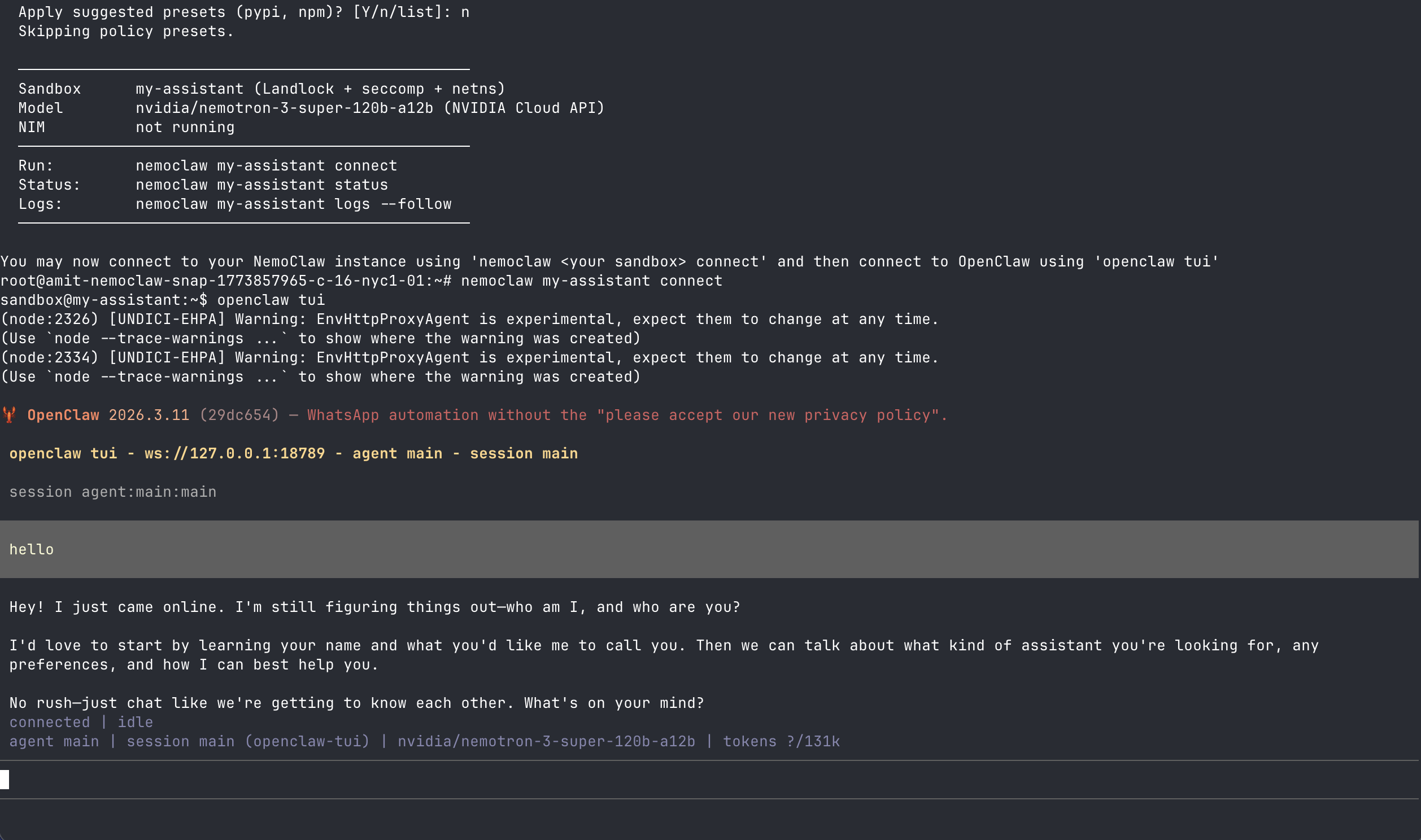
Troubleshooting
If you disconnect and SSH back into your Droplet later, you might receive a “command not found” error when trying to run NemoClaw. This happens if the Node Version Manager (nvm) environment is not automatically loaded into your shell session.
Run the following command block in your terminal to permanently add the nvm initialization script to your ~/.bashrc file and reload your environment:
cat << 'EOF' >> ~/.bashrc
export NVM_DIR="$HOME/.nvm"
[ -s "$NVM_DIR/nvm.sh" ] && \. "$NVM_DIR/nvm.sh" # This loads nvm
[ -s "$NVM_DIR/bash_completion" ] && \. "$NVM_DIR/bash_completion" # This loads nvm bash_completion
EOF
source ~/.bashrc