IceWarp
Generated on 27 Feb 2026 from the IceWarp catalog page
Email. Collaboration. Office. All in a single package. The leading AI-powered alternative to Microsoft 365 and Google Workspace, self-hosted on DigitalOcean.
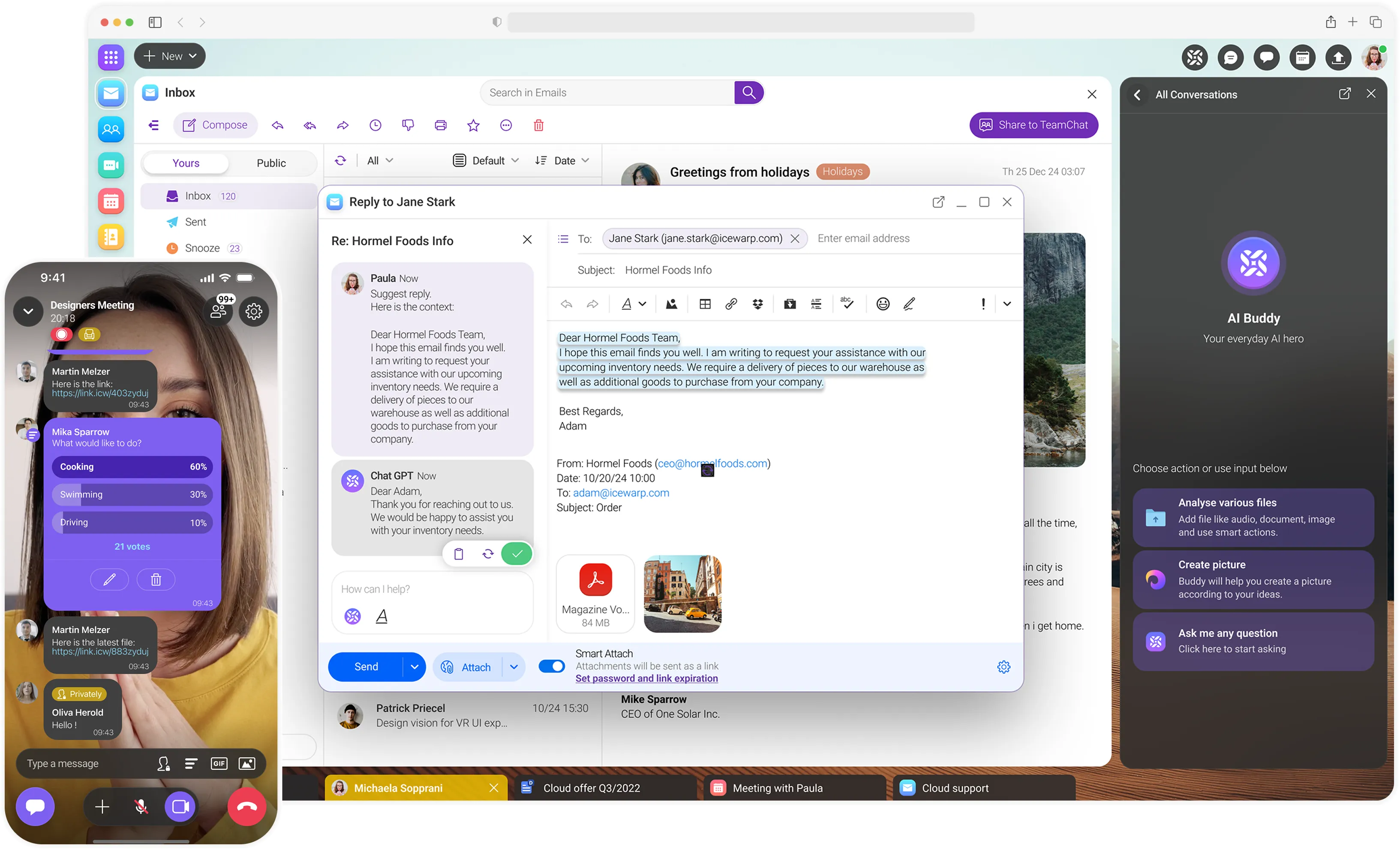
Made in the EU and trusted by 50,000+ businesses with 50M+ users worldwide.
What is IceWarp?
IceWarp is a complete business collaboration platform that brings email, TeamChat, video conferencing, file sharing, and real-time document collaboration together in a single, self-hosted solution. Deploy on DigitalOcean and take full control of your data, security, and infrastructure.
Why deploy IceWarp on DigitalOcean?
- Full data sovereignty — Your emails, files, and communications stay on your infrastructure
- Enterprise features — Get the almost same capabilities as Microsoft 365 or Google Workspace at a fraction of the cost
- Quick deployment — Spin up a complete collaboration stack in minutes
Features included
Communication & Collaboration
Email with custom domains, TeamChat for real-time messaging, video and audio conferencing with Webinar mode supporting up to 1,000 attendees, and one-on-one Chat.
Productivity Tools
Shared calendars with appointment booking, contact management, task tracking, and notes—all synced across devices.
Document Management
Create, edit, and co-author documents, spreadsheets, and presentations in real time. Store and share files securely with built-in cloud storage.
AI-Powered Workflows
ChatGPT integration helps you summarize, edit, and generate content—from drafting emails to formatting documents.
Cross-Platform Access
Web client, desktop apps for Windows and macOS, mobile apps for iOS and Android, and Outlook Sync for teams that prefer familiar interfaces.
Technical specifications
- Supported OS: Rocky Linux 9
- Minimum requirements: 2 vCPUs, 4GB RAM, 80GB SSD
- Important Note: These requirements are good for up to 50 users. Larger installations might need more ressources. Please refer to https://www.icewarp.com/product/technical-specification/?tab=self-hosted
- Recommended: 4 vCPUs, 8GB RAM, 160GB SSD
- Protocols: IMAP, SMTP, POP3, CalDAV, CardDAV, ActiveSync, EWS
- Important Note: DigitalOcean usually has Port 25 closed that is required for operating a full production instance. Once you are ready to go into production with IceWarp, you should contact DigitalOcean’s support.
Support & documentation
IceWarp — One platform. All tools in one place.
Software Included
| Package | Version | License |
|---|---|---|
| IceWarp | 14.2 | Proprietary |
Creating an App using the Control Panel
Click the Deploy to DigitalOcean button to create a Droplet based on this 1-Click App. If you aren’t logged in, this link will prompt you to log in with your DigitalOcean account.

Creating an App using the API
In addition to creating a Droplet from the IceWarp 1-Click App using the control panel, you can also use the DigitalOcean API. As an example, to create a 4GB IceWarp Droplet in the SFO2 region, you can use the following curl command. You need to either save your API access token to an environment variable or substitute it in the command below.
curl -X POST -H 'Content-Type: application/json' \
         -H 'Authorization: Bearer '$TOKEN'' -d \
        '{"name":"choose_a_name","region":"sfo2","size":"s-2vcpu-4gb","image":"icewarp"}' \
        "https://api.digitalocean.com/v2/droplets"
Getting Started After Deploying IceWarp
Getting started
Step 1: Deploy your Droplet
Launch the IceWarp 1-Click App from the DigitalOcean Marketplace. Once your Droplet is created, give it a few minutes—IceWarp runs post-deployment configuration in the background to set everything up for you. You can connect to your Droplet via SSH to see the status.
Step 2: Check configuration status
SSH into your Droplet:
ssh root@your_droplet_public_ipv4You’ll see a message indicating that configuration is in progress:
--- Your IceWarp instance is being configured. Please wait, this message will change when it's done.This typically takes 2–3 minutes. Grab a coffee.
Step 3: Access your IceWarp instance
Once configuration completes, you’ll see:
--- Log into your IceWarp using admin@<domain>.do.tryicewarp.com on https://<domain>.do.tryicewarp.com! Password is stored in /tmp/iw_password.Retrieve your admin password through the shell:
cat /tmp/iw_passwordOpen your browser and navigate to the URL shown in the message, or access IceWarp directly at https://your_droplet_public_ipv4. Log in with your admin credentials and start exploring.
Step 4: Connect your own domain (optional)
Your Droplet comes with a temporary *.do.tryicewarp.com domain so you can start immediately. When you’re ready to use your own domain, configure it through the IceWarp admin console and update your external DNS records (MX, SPF, DKIM, DMARC) to point to your Droplet.
Important Note: DigitalOcean usually has Port 25 closed that is required for operating a full production instance. Once you are ready to go into production with IceWarp, you should contact DigitalOcean’s support.