defensia-agent
Generated on 10 Mar 2026 from the defensia-agent catalog page
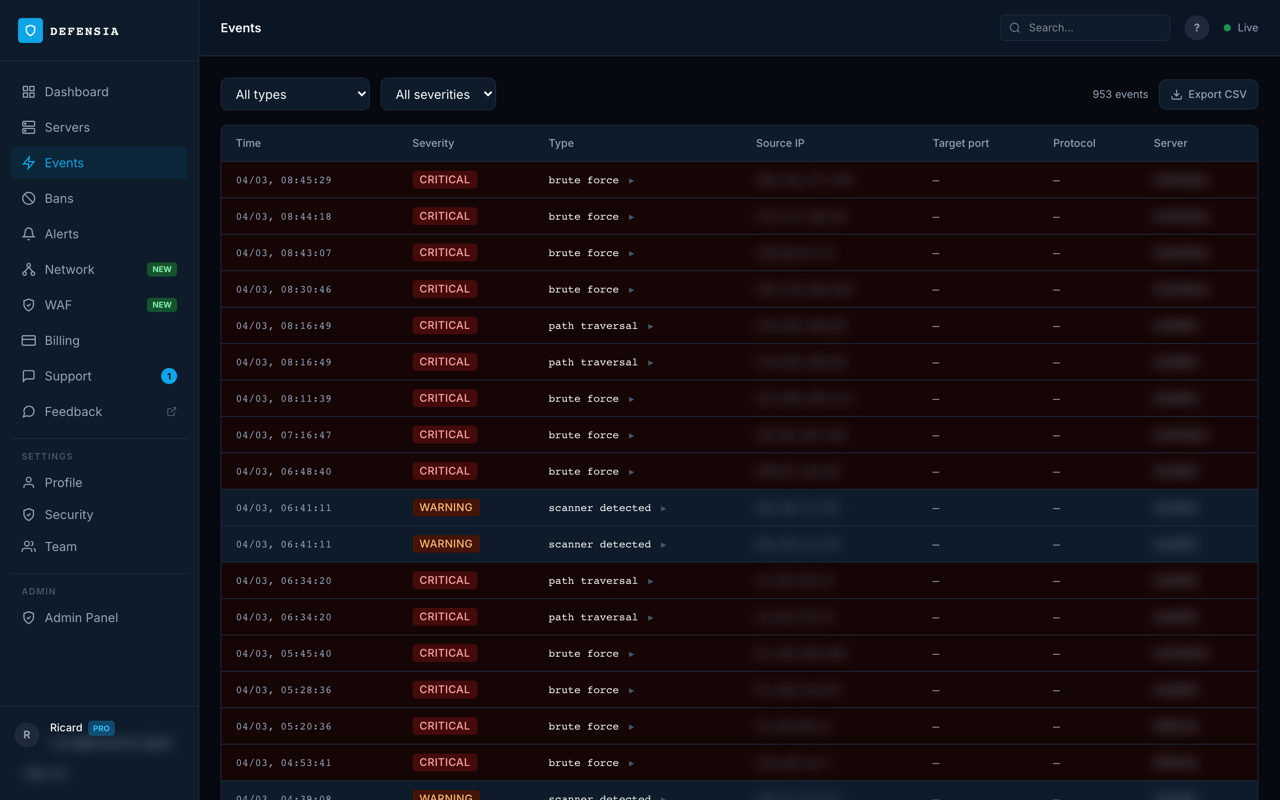
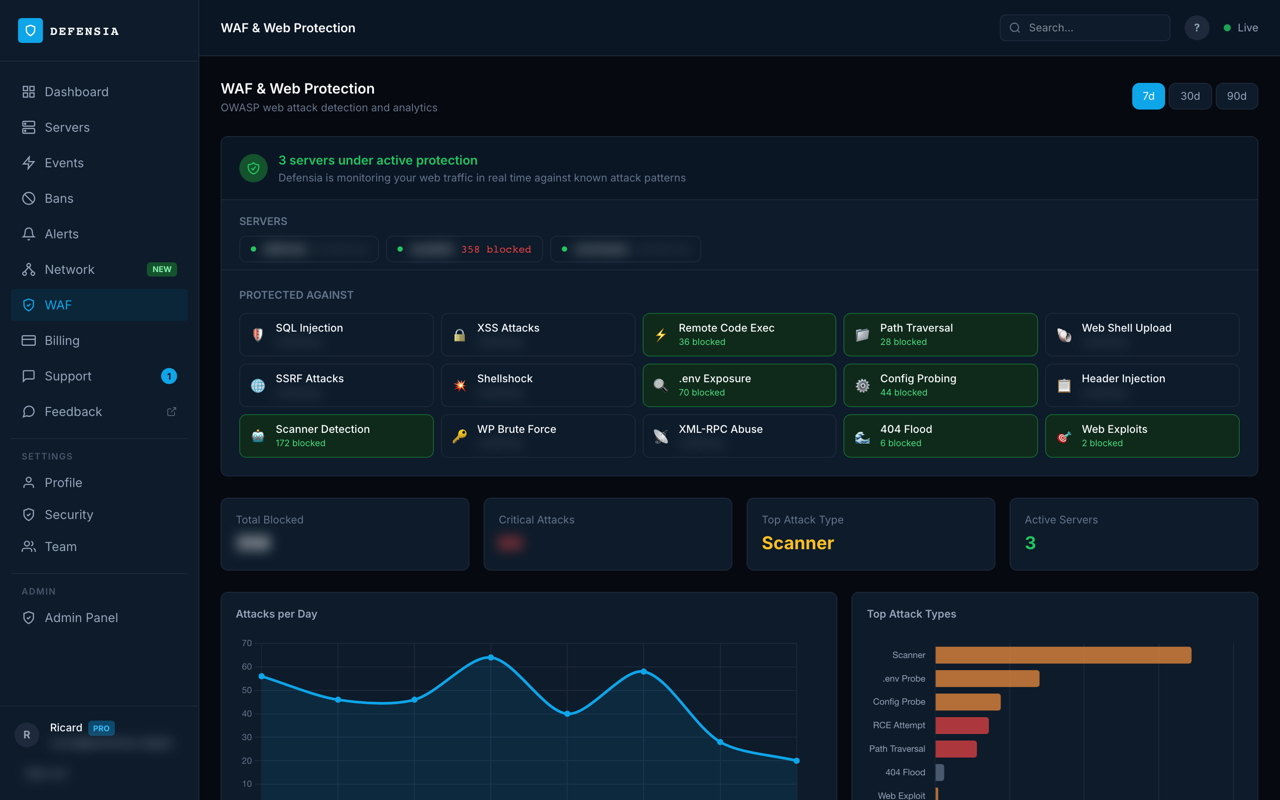
Defensia Agent is a lightweight security daemon that monitors your server in real time, detecting and blocking brute-force SSH attacks, port scans, web application exploits, and suspicious network activity.
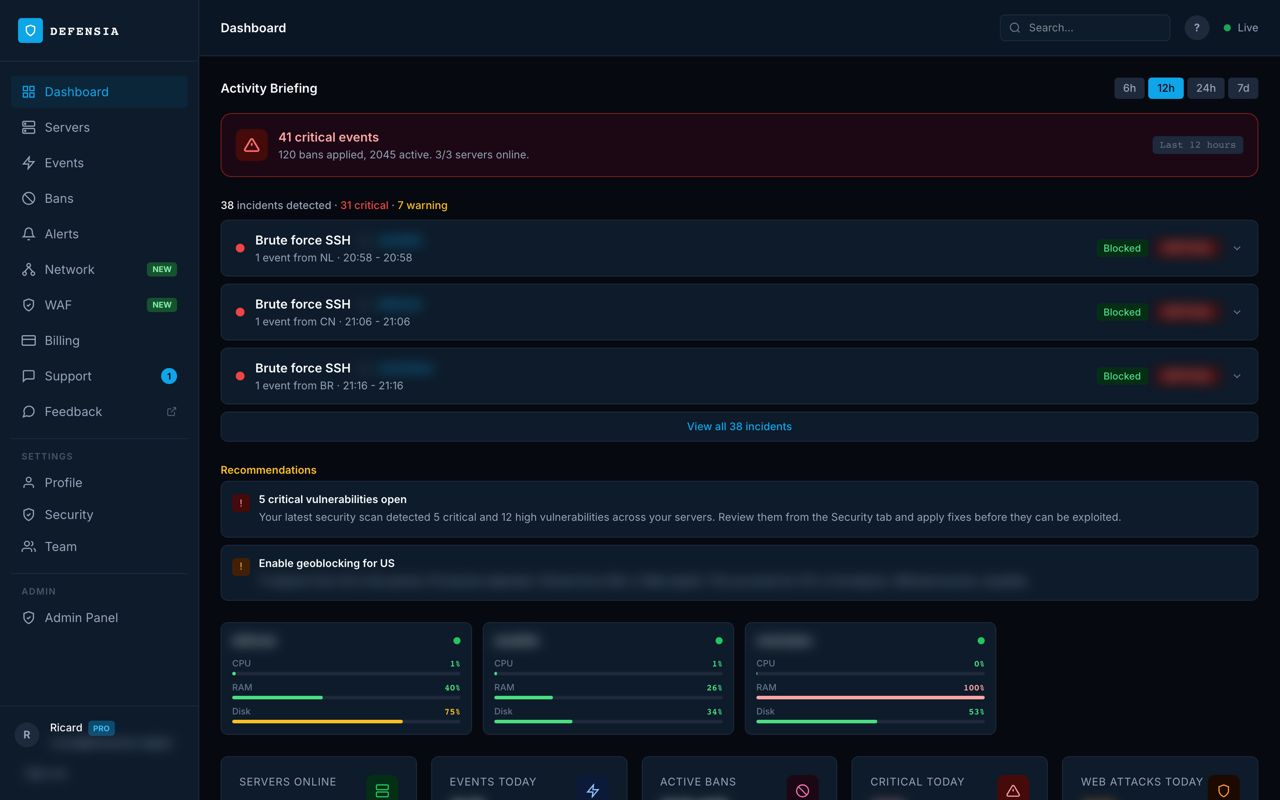
It connects to your Defensia dashboard at defensia.cloud, where you can see live events, manage firewall rules, configure your WAF, and receive instant threat alerts.
Unlike traditional tools that require manual rule maintenance, Defensia uses a scoring engine that correlates multiple signals before taking action minimizing false positives. All monitoring runs locally on your server; the cloud dashboard gives you visibility and control without handling your traffic.
Once installed, the agent runs as a systemd service and applies updates automatically. This 1-Click image launches an interactive setup wizard on first login, just paste your install token from defensia.cloud and your server is protected in under a minute.
Software Included
| Package | Version | License |
|---|---|---|
| defensia-agent | 1.0.0 | Proprietary |
| iptables | system | GPLv2 |
| curl | system | MIT/curl |
Creating an App using the Control Panel
Click the Deploy to DigitalOcean button to create a Droplet based on this 1-Click App. If you aren’t logged in, this link will prompt you to log in with your DigitalOcean account.

Creating an App using the API
In addition to creating a Droplet from the defensia-agent 1-Click App using the control panel, you can also use the DigitalOcean API. As an example, to create a 4GB defensia-agent Droplet in the SFO2 region, you can use the following curl command. You need to either save your API access token to an environment variable or substitute it in the command below.
curl -X POST -H 'Content-Type: application/json' \
         -H 'Authorization: Bearer '$TOKEN'' -d \
        '{"name":"choose_a_name","region":"sfo2","size":"s-2vcpu-4gb","image":"defensia-defensiaagent"}' \
        "https://api.digitalocean.com/v2/droplets"
Getting Started After Deploying defensia-agent
Connect to your Droplet
SSH into your new server:
ssh root@your_droplet_public_ipv4
An interactive setup wizard will launch automatically. You will need a Defensia install token:
-
Go to https://defensia.cloud and sign in (or create a free account)
-
Click Add Server to generate a token
-
Paste the token when prompted
The agent will install and connect to your dashboard in under a minute.
After setup
- Dashboard: https://defensia.cloud
- Agent status:
systemctl status defensia-agent - Logs:
journalctl -u defensia-agent -f - Re-run wizard:
defensia-setup